01
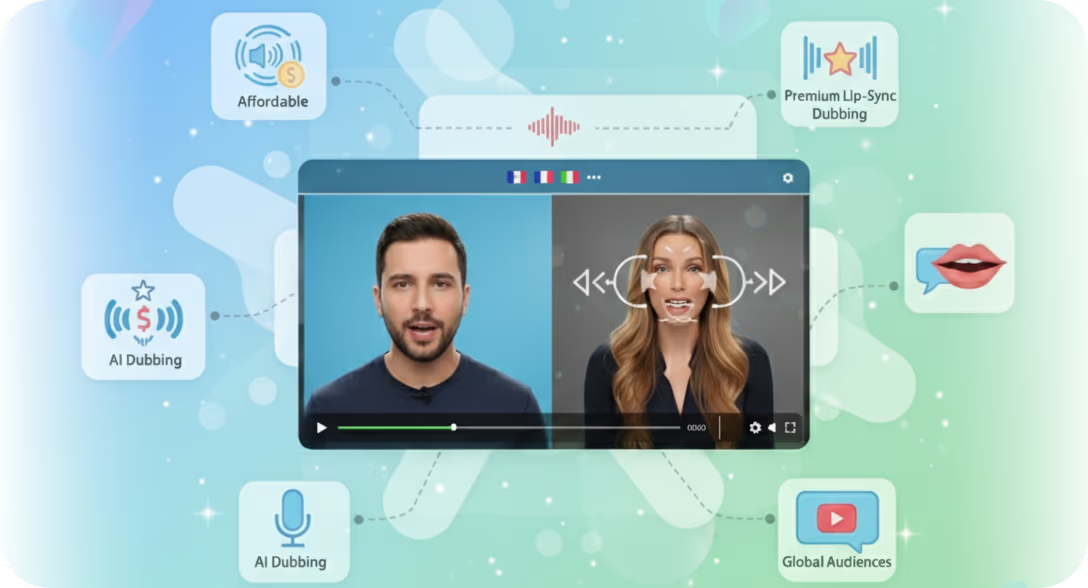
AIダビングビデオ用AIリップシンク
没入感が重要な場合は、Braiv Dubbing のリップシンクを切り替えます。速度と AI クレジットがより重要な場合はスキップしてください。どちらの場合も、映像はソース映像のままです。
- 手頃なAIリップシンク
- 業界をリードするAIダビング
- 10分リップシンク


翻訳された音声に合わせて口の動きを自動で同期 — ダビングされた動画をあらゆる市場でネイティブな仕上がりに。









Lip sync is the immersion layer on top of Braiv Dubbing: after the cloned audio is ready, reshape mouth movement to the new language so face-forward video holds trust in every market.
没入感が重要な場合は、Braiv Dubbing のリップシンクを切り替えます。速度と AI クレジットがより重要な場合はスキップしてください。どちらの場合も、映像はソース映像のままです。
Generate the localized track in Braiv Dubbing with voice cloning — lip sync needs finished audio before it reshapes the mouth region.
Enable it on talking-head segments. Leave it off for screen shares, B-roll, and drafts so you spend credits only where immersion pays off.
Check the synced result in the editor, adjust per clip if needed, and export a localized video that feels filmed in the target language.
チームが Braiv リップシンク をどのように活用して、実際のワークフローの課題を大規模に解決しているかをご覧ください。
ウェビナー、トレーニングビデオ、製品デモをAI声質クローニング、リップシンク、共同レビューでエンタープライズ規模でローカライズ。
ソリューションを見るあなたのL&Dチームは、12カ国以上の従業員にリーチする必要がある数百ものトレーニングビデオを管理しています。Braivは、インストラクターの声質を維持し、字幕の専門用語を正確に保ちながら、それらすべてを翻訳します。
ソリューションを見るあなたの番組の成長は、収録された言語で制限されています。Braivは、ホスト自身のクローンボイスで各エピソードを吹き替え、クリップ、プロモ、ショートを作成して配信カレンダーを埋めます。
ソリューションを見るBraiv Lipsyncは、元の話者の口の動きをフレームごとに分析し、吹き替え音声トラックのタイミングと音素に合わせて再合成します。これにより、視聴者の信頼を損なう「下手な吹き替え」効果を排除した、ネイティブな口の動きを感じさせるローカライズされたビデオが実現します。
手動でのキーフレーム作成やポストプロダクション編集は不要です。吹き替え済みビデオをアップロードするだけで、エクスポート中にリップシンクが自動的に適用されます。
すべてのビデオにリップシンクが必要なわけではありませんが、話者が画面に映っており、視聴者がその顔に注目している場合は、劇的な違いを生み出します。価値の高いユースケースには以下のようなものがあります。
字幕は最も安価ですが、視聴者の注意を分散させます。音声のみの吹き替えは画面に視線を向けたままですが、口と映像の不一致が認知的不協和音を生み出します。リップシンクはプレミアムティアであり、ネイティブに言語を習得したかのように感じられる、完全に同期した音声と映像を提供します。
数十本のビデオにわたるローカライズを拡大しているチームにとって、Braivはアセットごとに適切なティアを選択できます。低リスクの社内コンテンツには字幕、ミドルティアには吹き替え、フラッグシップの顧客向け資料にはリップシンクを使用します。同じワークスペースでBraiv Dubbingと組み合わせて利用 — 料金をご覧ください。
Braivでリーチを拡大している10万人以上のクリエイターに参加しましょう。
本日サインアップすると、150 AIクレジットを獲得できます。
Braiv キャプチャ がもうすぐローンチします。ウェイティングリストにご登録いただき、お客様のワークスペースでローカライズされたサポートコンテンツが作成可能になり次第、ご招待いたします。
リストに登録されました
早期アクセス開始時にメールでご連絡いたします。サポートライブラリについてさらに情報がある場合は、そのメールにご返信ください。