

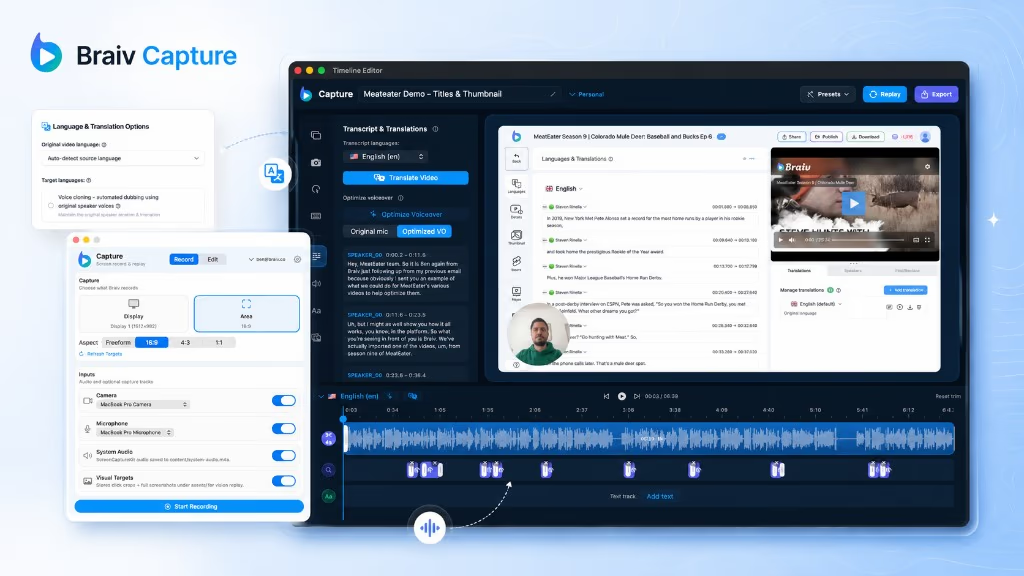
早期アクセス Braiv キャプチャ のウェイティングリストがオープンしました。一度録画するだけで、あらゆる言語でサポート動画を公開できます。

世界中の10万人以上のクリエイター、ポッドキャスター、企業に信頼されています
BraivをAI動画制作に信頼するクリエイターとチーム

ビデオ内のテキストを翻訳します。音声だけでなく。

画面録画を別の言語に吹き替え、画面上のテキストも同時に翻訳します — ナレーション、キャプション、コールアウト、テキストオーバーレイはすべて一度にローカライズされるため、ウォークスルーの途中で英語に戻ることがありません。

この機能の立ち位置

Braiv Capture

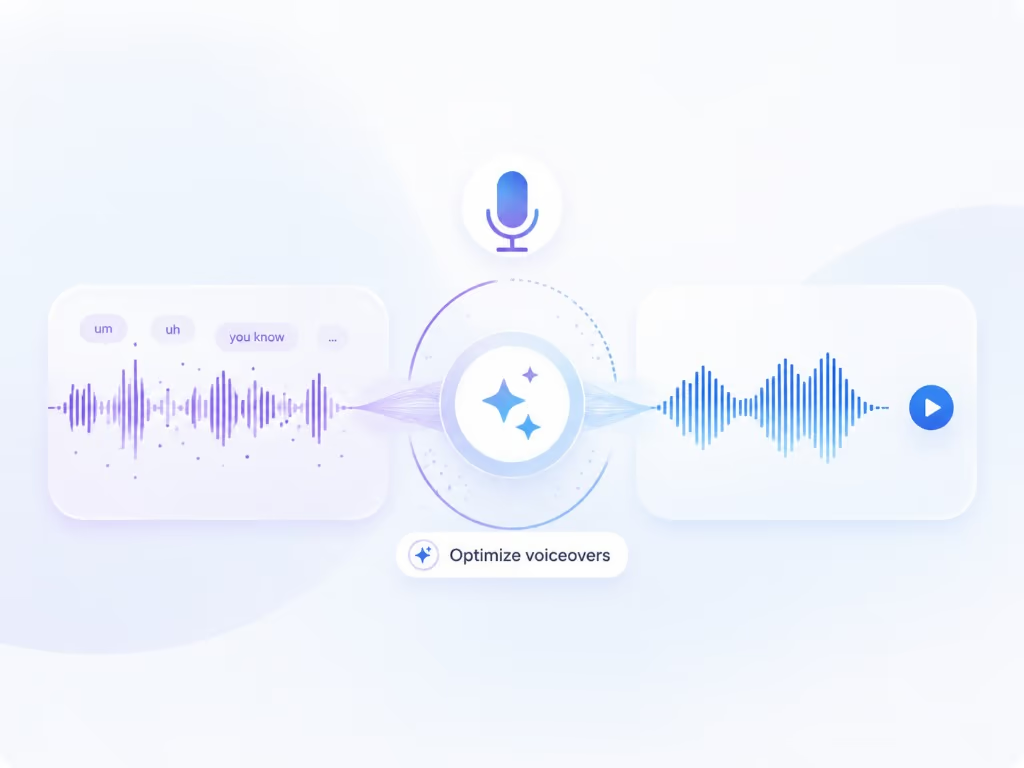
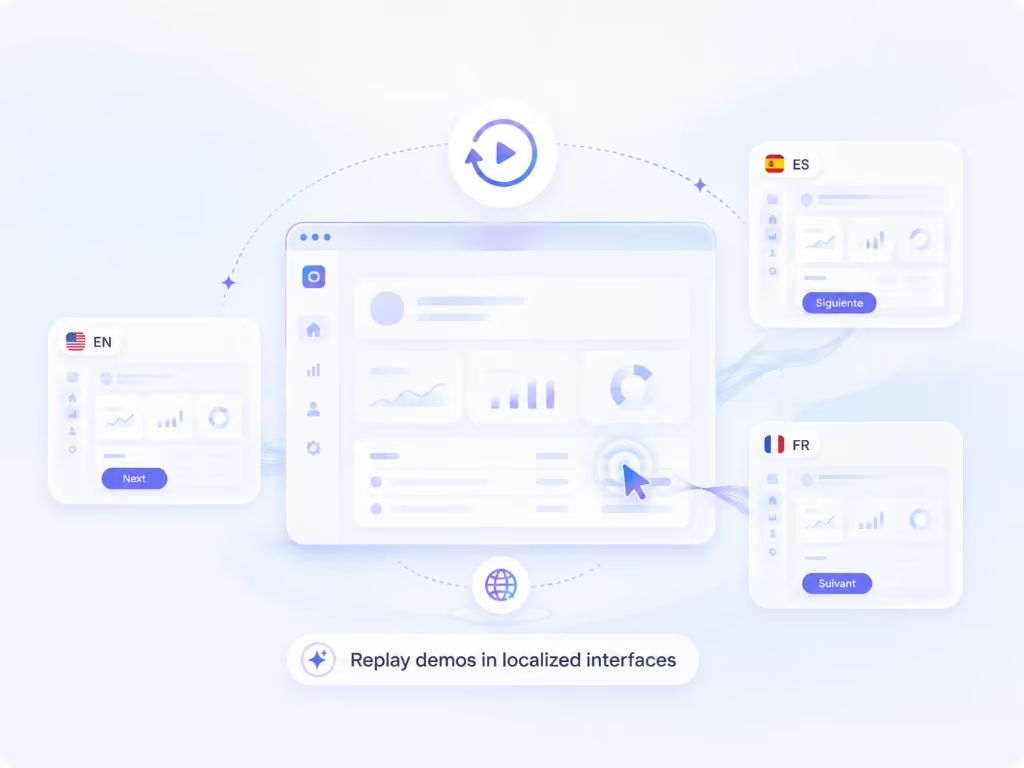
Braiv Capture は、1つの画面録画とボイスオーバーを、あらゆる言語のクリーンなサポートビデオ、ソフトウェアチュートリアル、ヘルプ記事に変換します。フィラーワードは削除され、ナレーションは Braiv Speech クローンで再音声化され、オーディオと画面上のテキストは一緒にローカライズされ、デモはローカライズされたインターフェイ内で再録画されます。

Braiv Captureを詳しく見る

機能 2 / 3

この機能でできること

What full-asset localization covers

画面録画を完全に翻訳:Braiv Dubbing は、選択した音声からクローンされた音声、翻訳されたキャプション、タイトル、コールアウト、画面上のテキスト、および対応するヘルプ記事。

  • Your choice of cloned voice

    Braiv Dubbing clones either your original recorded voice or the cleaned Braiv Speech voiceover — one identity across every market.

  • Every word on screen translated

    Captions, titles, step callouts, and text overlays are localized with the audio so the frame matches the voice.

  • The help article, in the same language

    The written walkthrough is generated from the same translated script, so video and documentation never drift.

さらに深く

{product}について知っておくべきすべて ビデオ翻訳、音声、画面上のテキストをサポート

部分的にローカライズされたサポートコンテンツは、依然としてサポートの負債である

ポルトガル語にダビングされ、英語のキャプションと英語のコールアウトが付いたチュートリアルは、ローカライズされているとは言えず、未完成に見えます。視聴者は音声よりも画面上の情報を信頼するため、画面に残った英語は彼らが気づくものになります。

サポートコンテンツは、視聴者がすでに困っている状況にあるため、最も重要です。

1回のパスで、すべてのレイヤーを

Braiv Captureは、アセットをエクスポートのスタックではなくセットとしてローカライズします。ダビングされたナレーション、キャプション、タイトル、そしてビデオ内のすべてのテキストは、ターゲット言語ごとにまとめて移動します。音声が別のツールで翻訳され、焼き付けられたテキストが別のツールで手作業で再構築されるといった、往復作業はありません。

これにより、タイミングも正確に保たれます。翻訳された文章は、元の文章よりも長くなったり短くなったりしますが、キャプションとコールアウトのタイミングは、ダビングされたトラックとずれることなく一致するように再生成されます。

記事とビデオは同じことを言っている

ヘルプセンターには、通常、数ヶ月離れてローカライズされたために、ビデオが1つのことを言い、記事が別のことを言うという状況がいつか現れます。どちらも同じ翻訳されたスクリプトから生成されるため、各言語でまとめて出荷され、次の編集時にまとめて変更されます。

同じローカライゼーションスタック上に構築

ここで説明するダビングとクローニングは、Braiv DubbingフルビデオAIダビングボイスクローニング — です。キャプション作業は Braiv Captions と共有されます。ナレーションの声は Braiv Speech から提供されます。Braiv Captureは、サポート固有の部分を追加します。クリーンアップされた指示文、画面上のテキスト処理、再生可能なキャプチャ、および記事です。

また、ソース音声の選択は、ダビング時に自由に行えます。元の話者をクローンするか、クリーンアップによって生成された洗練されたSpeechボイスオーバーをクローンするかを選択できます。

Braiv Captureにおける位置づけ

これは、Braiv Capture 内のローカライゼーション機能です。ボイスオーバークリーンアップ の後に実行されるため、翻訳はクリーンなスクリプトから開始され、フレーム内のインターフェイスもローカライズする必要がある場合は、自動化されたローカライズされた画面録画 と組み合わされます。
より大きな全体像

一つの機能、より長いワークフローのステップ

Braiv Captureは撮影の段階をカバーします。Braivは同じ録画で残りのシーケンスを実行するため、ここで作成したものはプラットフォームを離れることなくパッケージ化、ローカライズ、公開されます。

ワークフロー全体を見る
  1. 01 撮影 一度録画すれば、ローカライズ可能
  2. 02 再利用 1本の動画から、数十個のアセット
  3. 03 パッケージ化 パフォーマンスのためにパッケージ化
  4. 04 ローカライズ 80以上の言語で流暢に
  5. 05 公開&追跡 配信され、計測される
よくある質問

よくある質問

How do you translate the text in a video?
The dubbed narration, captions, and any on-screen text Braiv generated — titles, step callouts, and overlays — are translated together. Combined with localized screen re-recording, that means the interface in the frame can be localized too, rather than English UI under translated audio.
How do you translate a screen recording into another language?
Upload or record the walkthrough, pick your target languages, and Braiv dubs the narration while translating everything written on screen. Because the source is a screen recording rather than talking-head footage, the on-screen text is the part that usually breaks a translation — a dubbed voice describing an English menu leaves the viewer no better off.
Voice over vs dubbing — what is the difference?
Voice over is the narration track itself: what gets said over the walkthrough, in the original language, produced by cleanup with your Braiv Speech clone. Dubbing replaces that track in another language while keeping the same voice identity and matching the timing of what is happening on screen, which runs on Braiv Dubbing. In classic production terms voice over is narration recorded to picture, while dubbing is re-voicing existing dialogue in a new language. Capture does both, in that order: clean the voice over first, then dub it — because dubbing a script full of false starts just reproduces them in nine more languages.
Does the dubbed narration keep my voice?
Yes. Localization runs on Braiv Dubbing, and you choose which voice it clones: the original voice from your recording, or the cleaned voiceover produced by cleanup with your Braiv Speech clone. Either way a Spanish or Japanese walkthrough sounds like you rather than a stock narrator — see AI voice cloning.
Which voice should I dub from?
Dub from the cleaned Speech voiceover when you want the whole library to sound consistently rehearsed, and from the original recording when the raw delivery matters — for example a founder walkthrough where pacing is part of the tone. It is a per-project choice, not a workspace-wide setting.
Can I edit the translation before it renders?
Yes. Each language keeps an editable script, which matters most for product names, menu labels, and compliance wording that must match your localized UI exactly.
How many languages can a support library run in?
Capture is built on the same localization stack as Braiv Dubbing, which supports 80+ languages. The practical limit is which languages your product interface and help centre already run in.
Do captions come as burned-in text or a subtitle file?
Both patterns are supported by the Braiv pipeline: burned-in animated captions for social-style clips, and subtitle tracks for help centre embeds where viewers pick their own language.
How do viewers choose a language in my help centre?
Embed with Braiv Player so one embed serves every audio track and subtitle language, instead of maintaining a separate video per locale on separate pages.
Does translating a video regenerate the footage?
No. Translation replaces audio and text layers over your recording. Re-recording the interface itself is a deliberate, separate step — see automated localized screen recording.

サポートライブラリのローカライズをいち早く

早期アクセスウェイティングリストにご登録ください。一度の録音で、あらゆる言語のサポートコンテンツを公開できるようになった際に、ご連絡いたします。