早期アクセス Braiv キャプチャ のウェイティングリストがオープンしました。一度録画するだけで、あらゆる言語でサポート動画を公開できます。

世界中の10万人以上のクリエイター、ポッドキャスター、企業に信頼されています
BraivをAI動画制作に信頼するクリエイターとチーム

ローカライズされたインターフェース内でデモを再再生

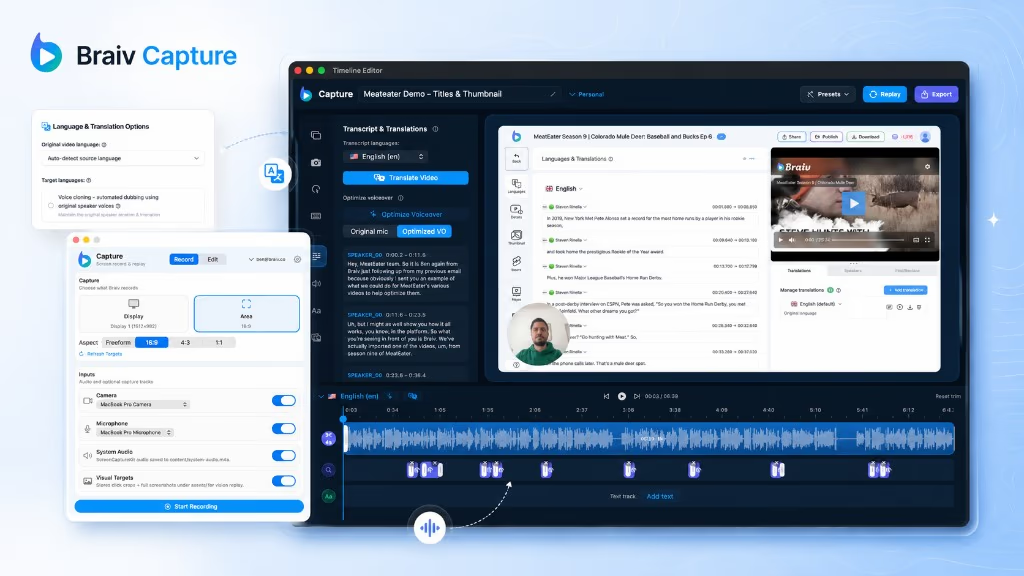
レコーディング機能を使えば、ウォークスルーを再生可能なセッションとして保存できます。これにより、製品の同じ手順を別の言語で再レコーディングすることが可能になり、撮影し直すことなく、各市場に合わせたネイティブなスクリーンキャストを作成できます。

この機能の立ち位置

Braiv Capture

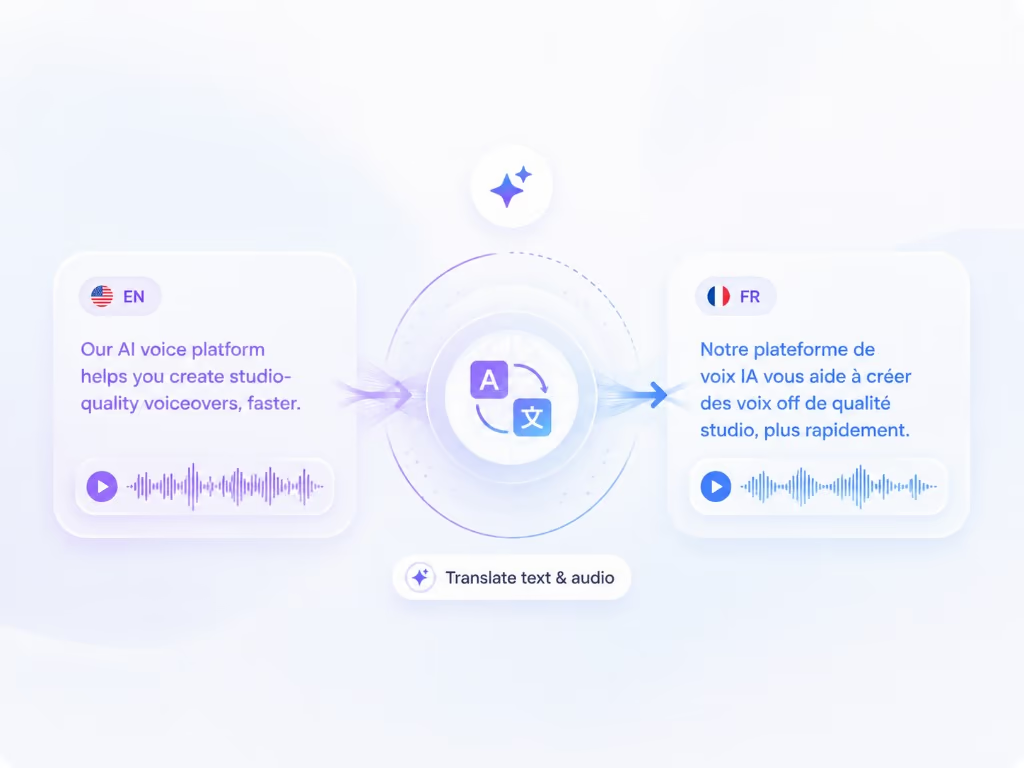
Braiv Capture は、1つの画面録画とボイスオーバーを、あらゆる言語のクリーンなサポートビデオ、ソフトウェアチュートリアル、ヘルプ記事に変換します。フィラーワードは削除され、ナレーションは Braiv Speech クローンで再音声化され、オーディオと画面上のテキストは一緒にローカライズされ、デモはローカライズされたインターフェイ内で再録画されます。

Braiv Captureを詳しく見る
この機能でできること

What replaying a capture unlocks

自動化されたローカライズされた画面録画は、キャプチャしたウォークスルーをターゲット言語の製品に対して再生し、英語のメニューに翻訳されたオーディオを重ねるのではなく、ローカライズされたインターフェイスのスクリーンキャストを生成します。

  • The interface matches the language

    A German viewer watches the German UI being used, not translated narration over English menus.

  • No re-shoot per market

    One recorded session produces every language version, so adding a locale is a re-run rather than a new recording day.

  • Identical steps every time

    Replay follows the captured walkthrough, so pacing and click order stay consistent across the whole library.

さらに深く

{product}について知っておくべきすべて ローカライズされたUIでの自動再録音

英語画面に吹き替えられた音声は役に立たない

サポートビデオは、マーケティングビデオよりも厳しいテストがあります。視聴者は、あなたが説明したボタンを探そうと、自身の製品を自身の言語で操作しています。もしあなたの録画が異なるインターフェースを表示した場合、音声が完璧であってもローカライズは失敗です。

これが、このギャップを埋めるものです。画面もローカライズされる必要があります。

キャプチャはセッションであり、単なるファイルではない

ほとんどの画面録画ツールはビデオを生成します。Captureは、ビデオに加えてその裏にあるウォークスルー(手順、順序、ペース)を生成します。これにより、デモは再現可能になります。

製品を別の言語に切り替え、セッションを再生すると、そのインターフェースで同じタスクの新しい録画が得られます。手作業で再撮影されるものはなく、キャプチャされた同じパスをすべての言語がたどるため、バージョン間でずれが生じることもありません。

ソフトウェアデモビデオの例と、それぞれの必要事項

「ソフトウェアデモビデオ」は、4つのかなり異なるジョブをカバーします。それらは異なる理由で失敗し、そのうち1つだけが制作価値に関係しています。

  • 機能ウォークスルー。 1つの機能、2~4分、すでに購入した顧客を対象としています。ナレーターがタスクではなくインターフェースを説明すると失敗します。必要事項:実際の製品、実際のクリック順序、1.5倍速で追えるほどタイトな文言。
  • オンボーディングデモ。 最初から最後まで表示される初回実行パス。デモデータでいっぱいになった成熟したアカウントを表示すると失敗します。これは新規ユーザーが認識できないためです。必要事項:空の状態の開始と、終了時の明確な成果。
  • 市場ごとのセールスデモ。 マドリッドまたは東京のプロスペクトに語られる同じストーリー。画面上のインターフェースが英語だと失敗します。プロスペクトはそれを「この製品は実際には私たちのためのものではない」と読み取ります。必要事項:ローカライズされたUI。これはまさに再生が生成するものです。
  • サポート修正。 単一のチケットに応答する単一のタスク。リリース後にサイレントに古くなると失敗します。必要事項:再録画が安価であること。再生によりそれが可能になります。

none of them need: スタジオ、事前に書かれたスクリプト、または俳優。4つのうち3つは、デモが複数の言語で存在することを必要とし、すべてが来四半期にも真実であり続けることを必要とします。

10番目の言語の経済性

サポートビデオの手動ローカライズは、線形かつ苦痛にスケールします。6言語にわたる20のウォークスルーは、120の録画セッションを意味し、それぞれが製品と言語を知っている人を必要とします。

再生は作業単位を変更します。ウォークスルーごとに1回録画し、言語ごとに再実行します。そのため、英語(または英語プラス1言語)で止まっていたチームは、真に多言語のヘルプセンターを検討できます。

リリースサイクルの問題への回答でもある

同じメカニズムが、もう1つのサポートコンテンツの問題を処理します。UIが移動したのです。すべての言語にわたる「このビデオを再録画する」というバックログの代わりに、セッションは現在のビルドに対して再実行され、ライブラリが更新されます。

Braiv Capture における位置づけ

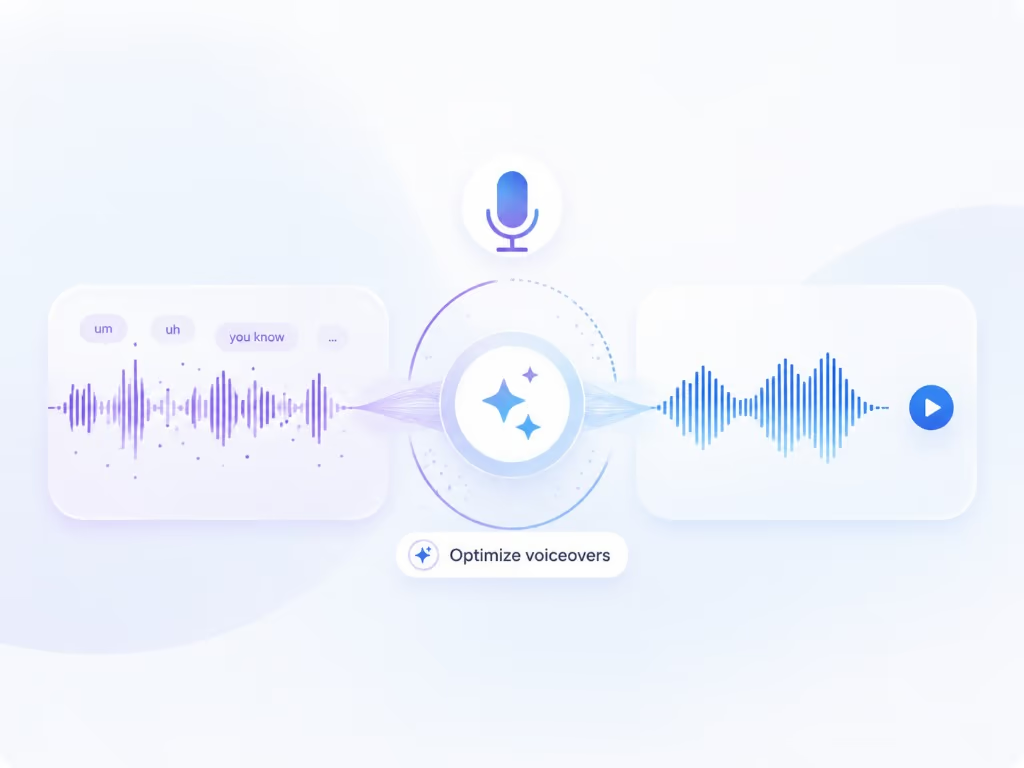
これは Braiv Capture 内のデモ忠実度属性であり、AI音声クリーンアップBraiv Speech クローンからのナレーション)および ローカライズされたサポートビデオ翻訳Braiv Dubbing で実行)と連携します。ビデオがすでに存在し、音声のみをローカライズする必要がある場合は、Braiv Dubbing 単独でより簡単なパスとなります。
より大きな全体像

一つの機能、より長いワークフローのステップ

Braiv Captureは撮影の段階をカバーします。Braivは同じ録画で残りのシーケンスを実行するため、ここで作成したものはプラットフォームを離れることなくパッケージ化、ローカライズ、公開されます。

ワークフロー全体を見る
  1. 01 撮影 一度録画すれば、ローカライズ可能
  2. 02 再利用 1本の動画から、数十個のアセット
  3. 03 パッケージ化 パフォーマンスのためにパッケージ化
  4. 04 ローカライズ 80以上の言語で流暢に
  5. 05 公開&追跡 配信され、計測される
よくある質問

よくある質問

How does automated localized screen recording work?
When you record a walkthrough, Capture stores the interaction timeline alongside the video rather than only a flat export. With your product set to another language, that session can be replayed and re-recorded, producing a screencast of the localized interface performing the same steps.
Why not just dub the original recording?
Dubbing alone leaves every menu, button, and dialog in the source language. For support content that is a real failure mode: the viewer is trying to follow along in their own interface and cannot match what they see on screen to what they see in the video. Capture still uses Braiv Dubbing for the audio; replay fixes the picture too.
How do you create a demo video for software?
Pick one job the product does, do that job on screen at a normal pace while narrating it, and stop. That is the whole method — the difficulty is never the recording, it is the polish afterwards. Capture takes the raw take and handles the polish: narration rewritten and revoiced, captions and on-screen text translated, and the walkthrough replayed against your product in each language so the demo shows the interface that market will actually see.
Can I use this for sales demo videos as well as support content?
Yes. A software demo video for a new market has the same problem as a support video: prospects discount a demo of an interface they will not recognise. Replay produces the demo against your product in their language, and the narration is localized through support video translation.
Does my product need to already be localized?
Yes. Replay records your interface in whatever languages your product already supports. Capture localizes the content around the demo — narration, captions, on-screen text, and the article — but the UI itself comes from your app.
What if the UI changed since I recorded?
Replay is the same mechanism you use when a release moves a screen: re-run the session against the current build to refresh the recording, rather than manually re-shooting every language version of that walkthrough.
Is this an AI-generated fake interface?
No. The output is a recording of your real product in the target language. Nothing about the interface is synthesized — only the narration and text layers are generated.
Can I still edit the result?
Yes. The re-recorded screencast goes through the same pipeline as the original: cleaned narration voiced by your Braiv Speech clone, translated audio and on-screen text via Braiv Dubbing, then publish with the matching help article.

サポートライブラリのローカライズをいち早く

早期アクセスウェイティングリストにご登録ください。一度の録音で、あらゆる言語のサポートコンテンツを公開できるようになった際に、ご連絡いたします。