01
画面録画からのステップバイステップガイドとヘルプ記事
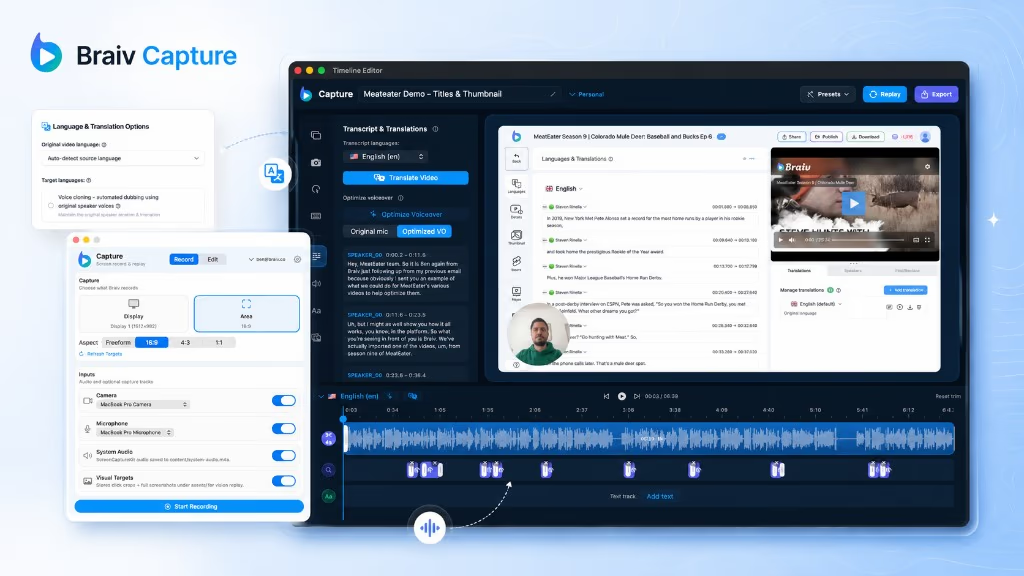
サポートビデオを生成したスクリプトが、公開するすべての言語で、ビデオと同期された構造化されたソフトウェアドキュメントであるステップバイステップガイドを作成します。
もっと詳しく
Scribe は、クリック操作をスクリーンショット付きのガイドに変換します。Braiv Capture は、1回の録画から、スクリーンショットを含むローカライズされた動画と対応する記事を作成します。










Competitor behaviour below reflects Scribe’s public product and pricing pages as checked on 9 August 2026, including the translation line on their pricing table.
| 機能 | Braiv Capture | Scribe |
|---|---|---|
| Available today | Early access waitlist | 利用可能 |
| Step-by-step written guide | 利用可能 | 利用可能 |
| Video walkthrough of the same task | 利用可能 | Screenshots and text |
| Spoken narration | Your cloned voice | 利用不可 |
| Guide text translated | 利用可能 | Enterprise module |
| On-screen text inside the visuals translated | 利用可能 | 利用不可 |
| Steps replayed against your localized UI | 利用可能 | 利用不可 |
| Video and article generated from one recording | 利用可能 | 利用不可 |
| Dubbing, captions and publishing in the same platform | 利用可能 | 利用不可 |
Scribe is the faster way to produce a written how-to. Braiv Capture is the better fit when the same walkthrough has to exist as a video, as an article, and in more than one language.
Scribe and Capture both start with someone doing the task once. The difference is what comes out the other side, and how many languages it comes out in.
サポートビデオを生成したスクリプトが、公開するすべての言語で、ビデオと同期された構造化されたソフトウェアドキュメントであるステップバイステップガイドを作成します。
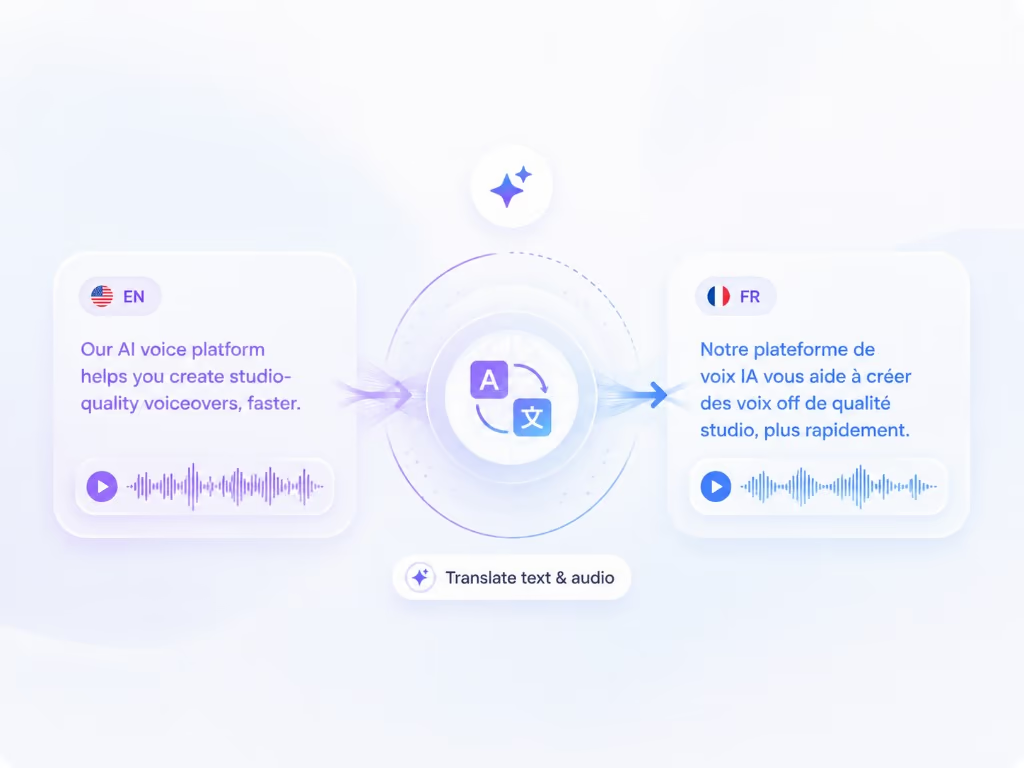
もっと詳しく画面録画を別の言語に吹き替え、画面上のテキストも同時に翻訳します — ナレーション、キャプション、コールアウト、テキストオーバーレイはすべて一度にローカライズされるため、ウォークスルーの途中で英語に戻ることがありません。
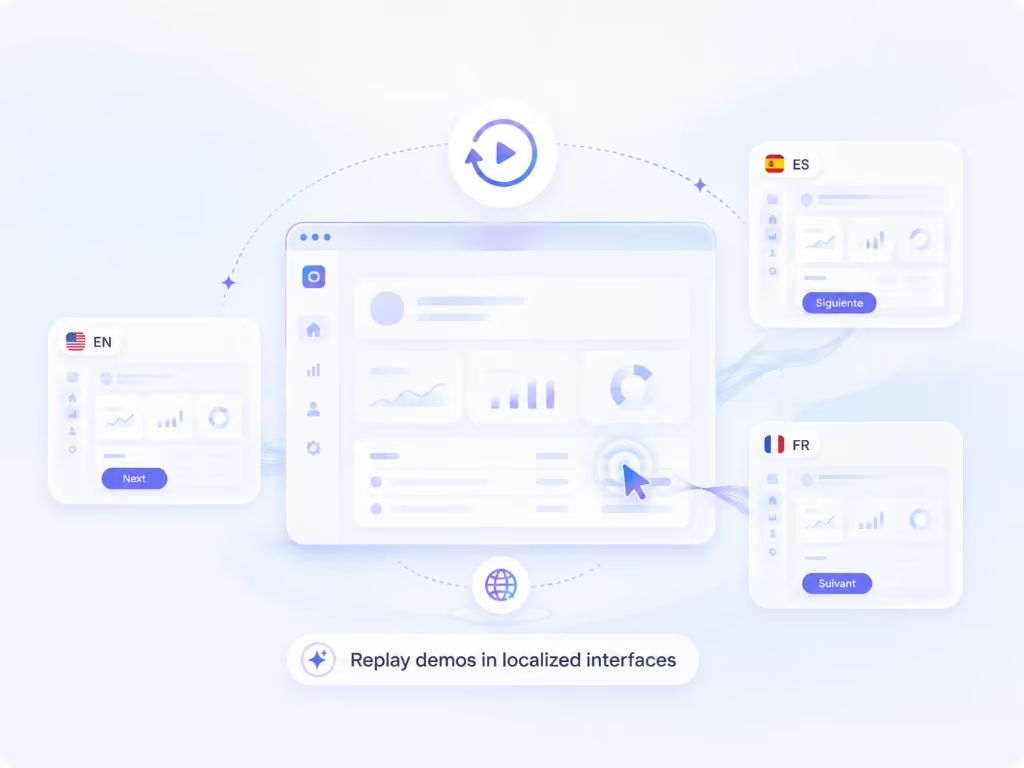
もっと詳しくレコーディング機能を使えば、ウォークスルーを再生可能なセッションとして保存できます。これにより、製品の同じ手順を別の言語で再レコーディングすることが可能になり、撮影し直すことなく、各市場に合わせたネイティブなスクリーンキャストを作成できます。
もっと詳しくScribe は、チームが誰かの頭の中にあるプロセスを最も迅速に引き出す方法です。タスクを実行すると、クリックがキャプチャされ、録画、編集、会話なしで、スクリーンショットと手順を含むガイドが得られます。大量の社内プロセス文書化においては、これは真に価値のある取引であり、「プロセス文書化をもう恐れる必要がなくなった」といった引用がホームページに載っている理由です。
Scribe の代替を探している人々は、通常、それに不満があるわけではありません。彼らは次の 2 つの壁のいずれかにぶつかっています。視聴者がテキストではなくタスクを 視聴 したい、または文書が英語以外の言語で存在する必要がある。
このページでの競合他社の動向は、2026 年 8 月 9 日に確認された Scribe の公開製品および価格ページを反映しています。
書面の手順は、おおよそ何をしているかを知っている人にとって優れた参考資料になります。ビデオは、新しい顧客や新しい従業員が初めて見たいものであり、ペース、コンテキスト、クリック間の部分を示します。
ほとんどのチームは両方を必要とし、通常は同じワークフローを 2 つのツールで 2 回文書化し、それらが乖離していくのを見守ることになります。Braiv Capture は、1 回の録画から両方を生成します。クリーンアップされたスクリプトがナレーション と ステップバイステップの記事 になるため、異なる製品を説明することはできません。
ここに、ローカライズ購入者がこの比較を決定する部分があります。
書面ガイドを翻訳すると、散文 が翻訳されます。スクリーンショットはキャプチャされたままです。英語のメニュー、英語のボタン、英語のツールチップ。ドイツ語の読者は、英語でラベル付けされたものをクリックするように指示するドイツ語の文を読み、各ステップでそれをマッピングする必要があります。
Capture は、単語だけでなく、視覚的なレイヤーにも取り組みます。ウォークスルーは 再生可能なセッション として保存されるため、製品をドイツ語に切り替えて再度実行できます。これはドイツ語インターフェイスの実際のスクリーンキャストです。一方、キャプション、タイトル、コールアウト、画面上のテキスト は同じパスで翻訳されます。正直な制約:製品はすでにローカライズされている必要があります。Braiv は実際の UI を記録します。架空の UI を作成するわけではありません。
2026 年 8 月 9 日に確認された Scribe の価格表では、「言語翻訳」(Scribes のサポート言語への即時翻訳)が一部のエンタープライズモジュールで利用可能であるとリストされています。これは機能への批判ではありません。多言語文書化が購入の理由である場合、プランカードのシート価格ではなく、それを包含するティアの価格を考慮する必要があるという注意点です。
Capture にとって、多言語はモジュールではありません。それが製品が存在する理由であり、ローカライズされた出力が、Braiv の残りの部分と同じサブスクリプションとクレジット残高 (/pricing) であり、個別の項目ではない理由でもあります。
Braiv Capture はプレローンチ段階であるため、このページにサインアップボタンはありません。以下のウェイティングリストがキューであり、アクセスは招待制です。
文書のバックログが英語で緊急の場合は、Scribe が今日その問題を解決するツールです。同じバックログが 6 つの言語で存在する必要があり、ますますビデオを必要とする場合は、ウェイティングリストに登録して、テキストに標準化する前にローカライズされたスクリーンキャストをお見せしましょう。
複数のツールを比較検討中ですか?ここでは、このツールと合わせて検討されることの多い代替製品をご紹介します。
Guidde はボイスオーバーを翻訳します。Braiv Capture は、ナレーション、画面上のテキスト、デモンストレーションされているインターフェース全体をローカライズします。
比較を読むLoomは、録画を素早く送信できるように作られています。Braiv Captureは、ナレーションのクリーニング、画面上のテキストの翻訳、ローカライズされた製品のスクリーンキャストといった、公開できるように作られています。
比較を読むCamtasiaでは、タイムラインが表示され、すべての言語を手作業で編集する必要があります。Braiv Captureは、ロケールごとに録画を再生し、画面上の内容を翻訳します。
比較を読む早期アクセスウェイティングリストにご登録ください。一度の録音で、あらゆる言語のサポートコンテンツを公開できるようになった際に、ご連絡いたします。
Braiv キャプチャ がもうすぐローンチします。ウェイティングリストにご登録いただき、お客様のワークスペースでローカライズされたサポートコンテンツが作成可能になり次第、ご招待いたします。
リストに登録されました
早期アクセス開始時にメールでご連絡いたします。サポートライブラリについてさらに情報がある場合は、そのメールにご返信ください。