

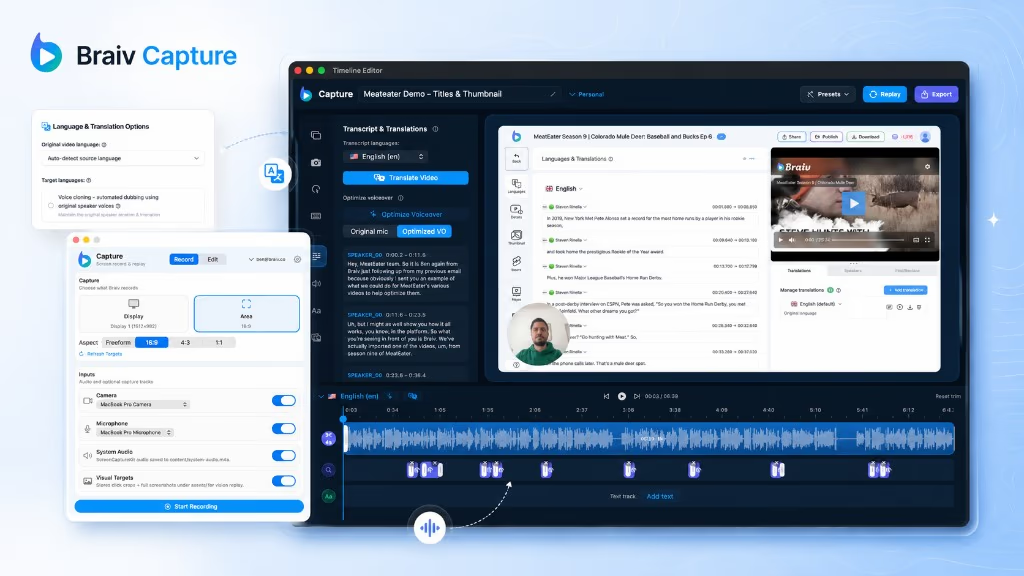
Early access Braiv Capture waitlist is open — record once, publish support videos in every language.

Trusted by 100,000+ creators, podcasters & businesses globally
Creators and teams who trust Braiv for AI video production

Translate the text in a video, not just the audio

Dub a screen recording into another language and translate the on-screen text with it — narration, captions, callouts, and text overlays localized in the same pass, so a walkthrough never switches back to English halfway through.

Where this fits

Braiv Capture

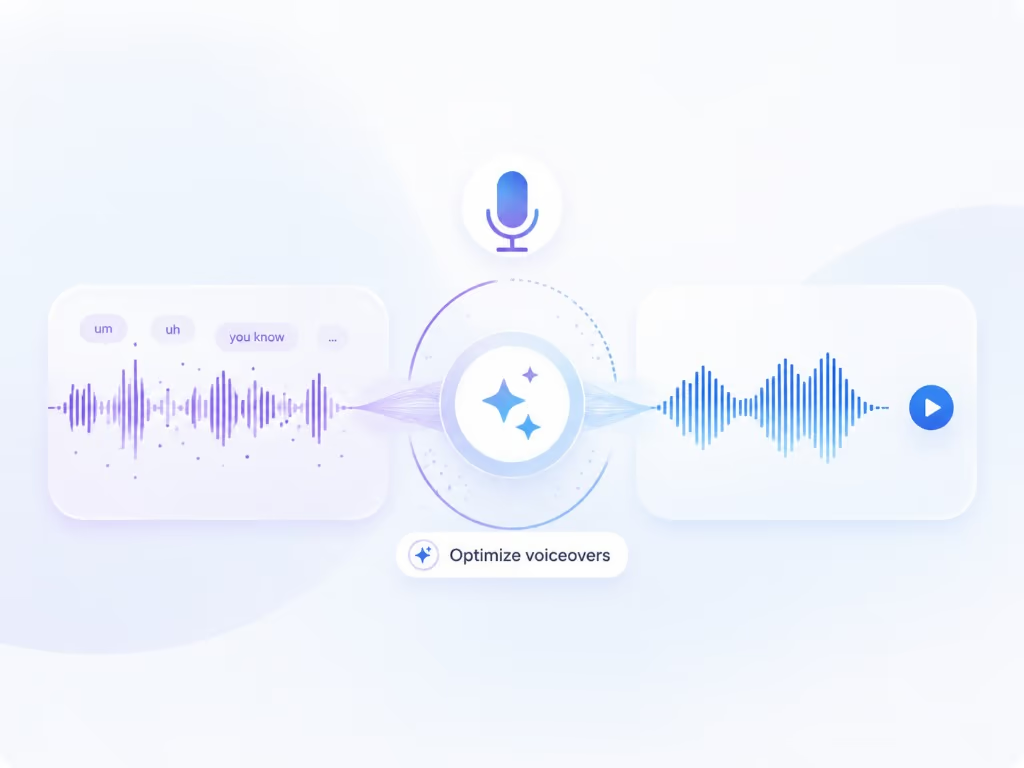
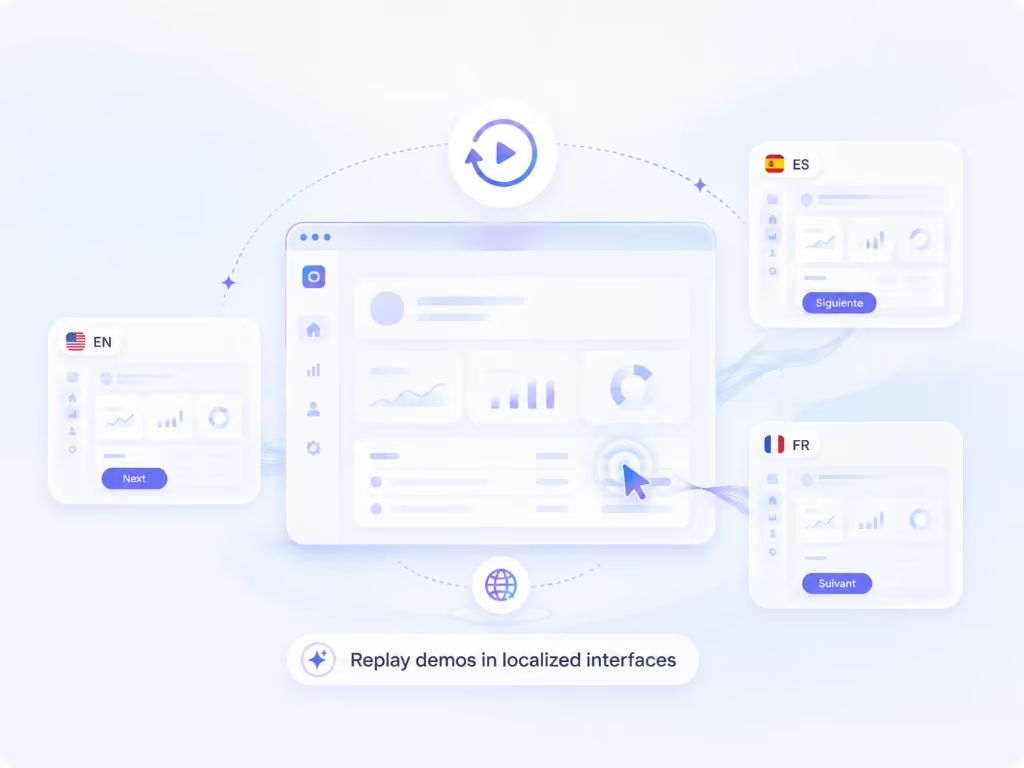
Braiv Capture turns one screen recording with voiceover into clean support videos, software tutorials, and help articles in any language. Filler words are stripped, the narration is revoiced with a Braiv Speech clone, audio and on-screen text are localized together, and the demo is re-recorded inside your localized interface.

Explore Braiv Capture

Capability 2 of 3

What this does

What full-asset localization covers

Translate a screen recording completely: Braiv Dubbing audio cloned from the voice you choose, plus translated captions, titles, callouts, and on-screen text, and the matching help article.

  • Your choice of cloned voice

    Braiv Dubbing clones either your original recorded voice or the cleaned Braiv Speech voiceover — one identity across every market.

  • Every word on screen translated

    Captions, titles, step callouts, and text overlays are localized with the audio so the frame matches the voice.

  • The help article, in the same language

    The written walkthrough is generated from the same translated script, so video and documentation never drift.

Deep dive

Everything you need to know about Support video translation, audio and on-screen text

Half-localized support content is still support debt

A walkthrough dubbed into Portuguese with English captions and English callouts does not read as localized — it reads as unfinished. Viewers trust the frame more than the voice, so any English left on screen becomes the thing they notice.

Support content is where that matters most, because the person watching is already stuck.

One pass, every layer

Capture localizes the asset as a set rather than a stack of exports: the dubbed narration, captions, titles, and every bit of text in the video move together into each target language. There is no round trip where audio is translated in one tool and burned-in text is rebuilt by hand in another.

That also keeps timing honest. Translated sentences are longer or shorter than the original, and the caption and callout timings are regenerated to match the dubbed track instead of drifting against it.

The article and the video say the same thing

Every help centre eventually contains a video that says one thing and an article that says another, usually because they were localized months apart. Because both are generated from the same translated script, they ship together in each language and change together on the next edit.

Built on the same localization stack

The dubbing and cloning here are Braiv Dubbingfull-video AI dubbing and voice cloning — with caption work shared with Braiv Captions. The narration voice comes from Braiv Speech. Capture adds the support-specific parts: cleaned instructional wording, on-screen text handling, the replayable capture, and the written article.

That also means the choice of source voice is yours at dub time: clone the original speaker, or clone the polished Speech voiceover that cleanup produced.

Where this sits in Braiv Capture

This is the localization attribute inside Braiv Capture. It runs after voiceover cleanup so translation starts from a clean script, and pairs with automated localized screen recording when the interface in the frame should be localized as well.
The bigger picture

One capability, one step in a longer workflow

Braiv Capture covers the Capture stage. Braiv runs the rest of the sequence on the same recording — so what you make here ends up packaged, localized and published without leaving the platform.

See the full workflow
  1. 01 Capture Recorded once, ready to localize
  2. 02 Repurpose One video, dozens of assets
  3. 03 Package Packaged to perform
  4. 04 Localize Fluent in 80+ languages
  5. 05 Publish & Track Distributed and measured
Questions

Frequently asked questions

How do you translate the text in a video?
The dubbed narration, captions, and any on-screen text Braiv generated — titles, step callouts, and overlays — are translated together. Combined with localized screen re-recording, that means the interface in the frame can be localized too, rather than English UI under translated audio.
How do you translate a screen recording into another language?
Upload or record the walkthrough, pick your target languages, and Braiv dubs the narration while translating everything written on screen. Because the source is a screen recording rather than talking-head footage, the on-screen text is the part that usually breaks a translation — a dubbed voice describing an English menu leaves the viewer no better off.
Voice over vs dubbing — what is the difference?
Voice over is the narration track itself: what gets said over the walkthrough, in the original language, produced by cleanup with your Braiv Speech clone. Dubbing replaces that track in another language while keeping the same voice identity and matching the timing of what is happening on screen, which runs on Braiv Dubbing. In classic production terms voice over is narration recorded to picture, while dubbing is re-voicing existing dialogue in a new language. Capture does both, in that order: clean the voice over first, then dub it — because dubbing a script full of false starts just reproduces them in nine more languages.
Does the dubbed narration keep my voice?
Yes. Localization runs on Braiv Dubbing, and you choose which voice it clones: the original voice from your recording, or the cleaned voiceover produced by cleanup with your Braiv Speech clone. Either way a Spanish or Japanese walkthrough sounds like you rather than a stock narrator — see AI voice cloning.
Which voice should I dub from?
Dub from the cleaned Speech voiceover when you want the whole library to sound consistently rehearsed, and from the original recording when the raw delivery matters — for example a founder walkthrough where pacing is part of the tone. It is a per-project choice, not a workspace-wide setting.
Can I edit the translation before it renders?
Yes. Each language keeps an editable script, which matters most for product names, menu labels, and compliance wording that must match your localized UI exactly.
How many languages can a support library run in?
Capture is built on the same localization stack as Braiv Dubbing, which supports 80+ languages. The practical limit is which languages your product interface and help centre already run in.
Do captions come as burned-in text or a subtitle file?
Both patterns are supported by the Braiv pipeline: burned-in animated captions for social-style clips, and subtitle tracks for help centre embeds where viewers pick their own language.
How do viewers choose a language in my help centre?
Embed with Braiv Player so one embed serves every audio track and subtitle language, instead of maintaining a separate video per locale on separate pages.
Does translating a video regenerate the footage?
No. Translation replaces audio and text layers over your recording. Re-recording the interface itself is a deliberate, separate step — see automated localized screen recording.

Be first to localize your support library

Join the early-access waitlist and we'll reach out when your workspace can record once and publish support content in every language.