

Early access Braiv Capture waitlist is open — record once, publish support videos in every language.

Trusted by 100,000+ creators, podcasters & businesses globally
Creators and teams who trust Braiv for AI video production

Word-by-word captions that hold mute viewers

Highlight each word in sync with the audio so viewers keep watching — even when the sound is off.

Where this fits

Braiv Captions

Word-by-word animated captions generated from your transcript — on-brand, accessibility-ready, and translated into 80+ languages without rebuilding the edit.

Explore Braiv Captions

Capability 1 of 3

What this does

What word-by-word captions unlock

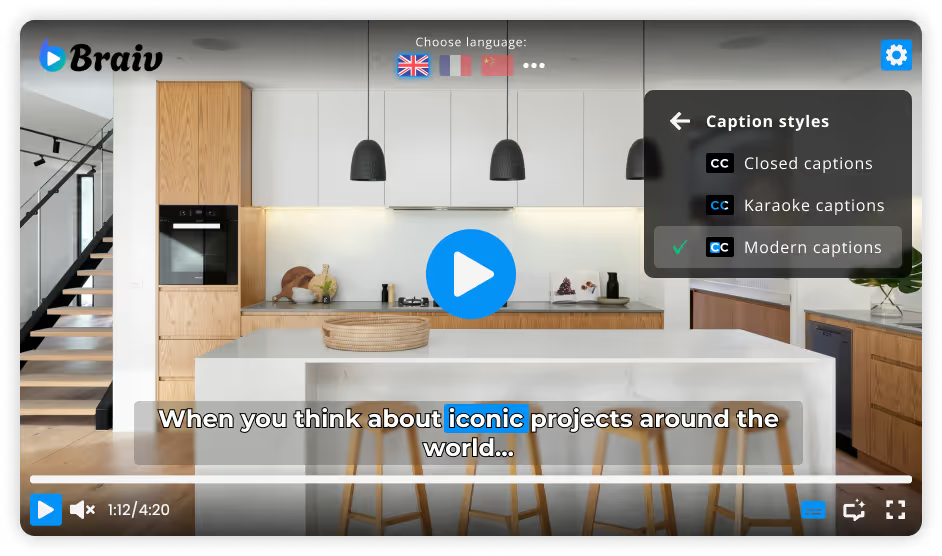
Static subtitle blocks get skimmed. Braiv burns karaoke-style captions that guide attention word by word, lifting watch time on social feeds, explainers, and branded video.

  • Attention that survives mute autoplay

    Each word lights up with the audio, so eyes stay on the frame when LinkedIn, TikTok, Reels, or Shorts play without sound.

  • Retention without a second edit pass

    Captions burn in from the transcript automatically — no scrubbing a timeline to place every highlight by hand.

  • One motion system across every format

    The same karaoke-style motion applies to shorts, clips, and full-length uploads, so every asset reads the same way.

Deep dive

Everything you need to know about Word-by-word animated captions

Why static subtitles are the wrong default

Most caption tools treat accuracy as the whole job: get the words right, dump them in a block at the bottom of the frame, and call it done. That is fine for compliance archives. It is the wrong default for a feed where the sound is off and the next video is one flick away.

The bottleneck is not spelling. It is attention. A static block gets skimmed. A word that lights up with the audio gets followed — and that is the difference between a scroll-past and a completed view on TikTok, Reels, and YouTube Shorts.

Karaoke motion versus subtitle blocks

Braiv burns captions from the transcript word by word. Each word highlights in sync with the speaker, so the eye has a moving target instead of a paragraph to decode. That motion works in silent autoplay environments like LinkedIn and TikTok, where audio cannot carry the message.

The practical difference is where your time goes. Instead of placing highlights by hand in an editor, you review the transcript, approve the style, and the burn-in is already done — on shorts, clips, and full-length uploads from the same pass.

Getting timing and speakers right

Caption quality collapses when timing drifts or speakers blur together. Braiv auto-detects dialogue across 80+ languages with speaker separation, then lets your team lock brand terms and technical vocabulary before render. That review step is what keeps a product name from becoming a phonetic guess on the finished video.

For mute-first short-form, word-by-word captions are one of the highest-leverage retention tools available — pair them with AI caption translation when the same cut needs to ship in more than one market.

Where this sits in Braiv Captions

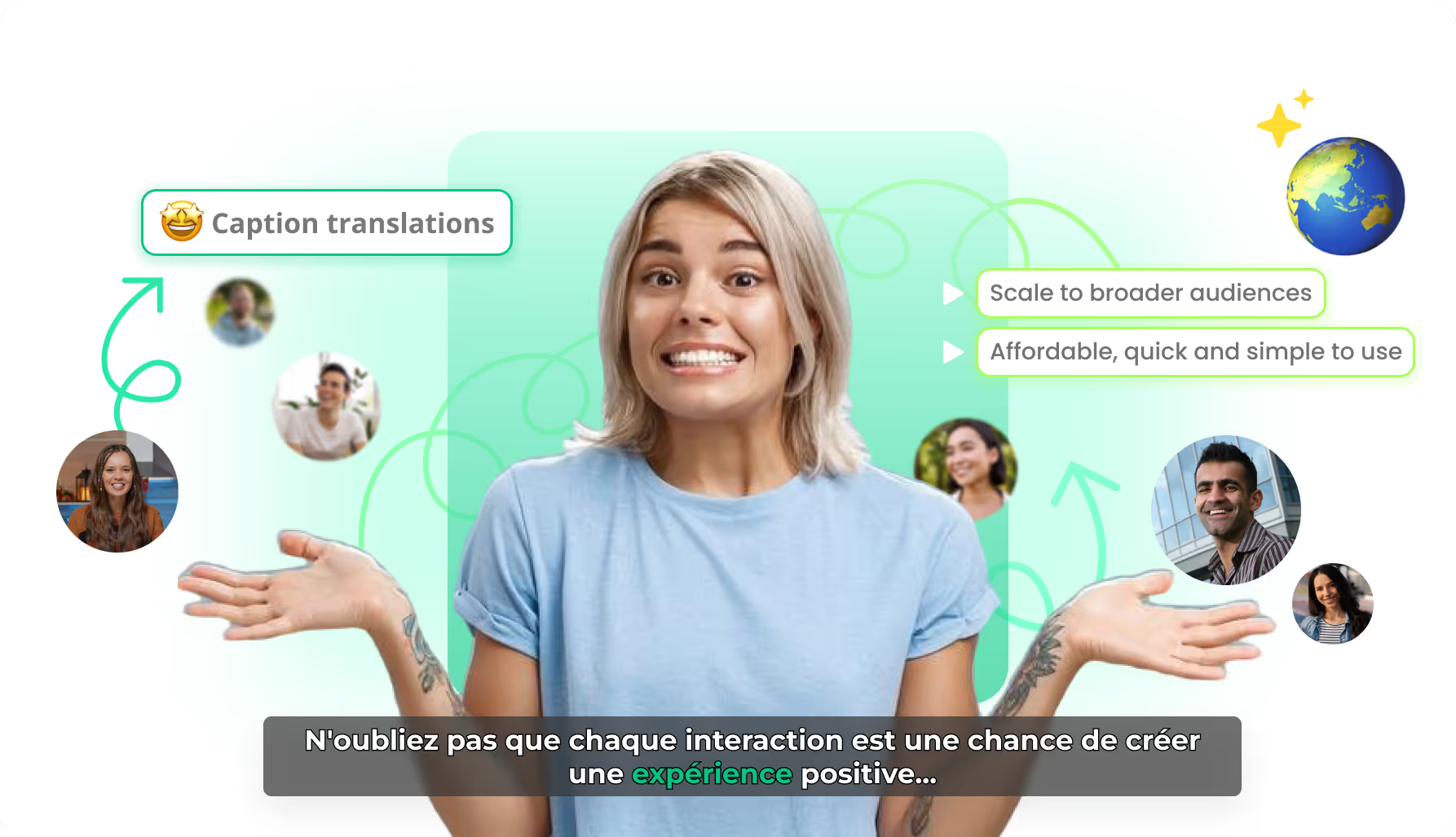
This is the karaoke animation attribute inside Braiv Captions. The same product also covers on-brand caption styles and AI caption translation. Captions run on the shared AI Credit balance when you generate or localize at volume — full plan detail on pricing.
The bigger picture

One capability, one step in a longer workflow

Braiv Captions covers the Package stage. Braiv runs the rest of the sequence on the same recording — so what you make here ends up packaged, localized and published without leaving the platform.

See the full workflow
  1. 01 Capture Recorded once, ready to localize
  2. 02 Repurpose One video, dozens of assets
  3. 03 Package Packaged to perform
  4. 04 Localize Fluent in 80+ languages
  5. 05 Publish & Track Distributed and measured
Questions

Frequently asked questions

What are karaoke-style or word-by-word animated captions?
They highlight each word in sync with the audio as it is spoken, instead of dumping a full line of static text on screen. The motion creates a reading guide that holds attention on mute feeds and makes dialogue easier to follow on training and branded video.
Do animated captions actually increase watch time?
Most social video is watched on mute — captions are how that content communicates at all. Word-by-word animation keeps eyes on the frame longer than static subtitle blocks, which viewers tend to skim or ignore. That lift shows up most clearly on TikTok, Reels, and YouTube Shorts.
Are captions applied automatically when I generate shorts?
Yes. When Braiv generates shorts or clips, each asset can ship with animated captions already burned in — no separate captioning pass per file. Full brand control lives in Braiv Captions.
Can I edit the transcript before captions render?
Yes. Braiv transcribes dialogue with speaker separation, and your team can review technical terms and brand names in the editor before anything renders. That review step is what keeps product names and jargon correct on the finished burn-in.
Do word-by-word captions help with accessibility?
Yes. Accurate, synchronized captions make video usable for deaf and hard-of-hearing audiences and support WCAG-minded teams. They also help neurodiverse learners and second-language viewers follow along when text reinforces the audio.
Can the same caption style work for social and B2B video?
Yes. The karaoke motion is the retention layer; on-brand caption styles control whether that motion looks creator-energetic or corporate-restrained. Set fonts, colors, and animation once and apply them everywhere.

Ready to Take Your Content Global?

Join over 100,000 creators scaling their reach with Braiv.
Get 150 AI Credits when you sign up today.