Early access Braiv Capture waitlist is open — record once, publish support videos in every language.

Braiv Capture vs Scribe

The Scribe alternative that ships video and docs in every language

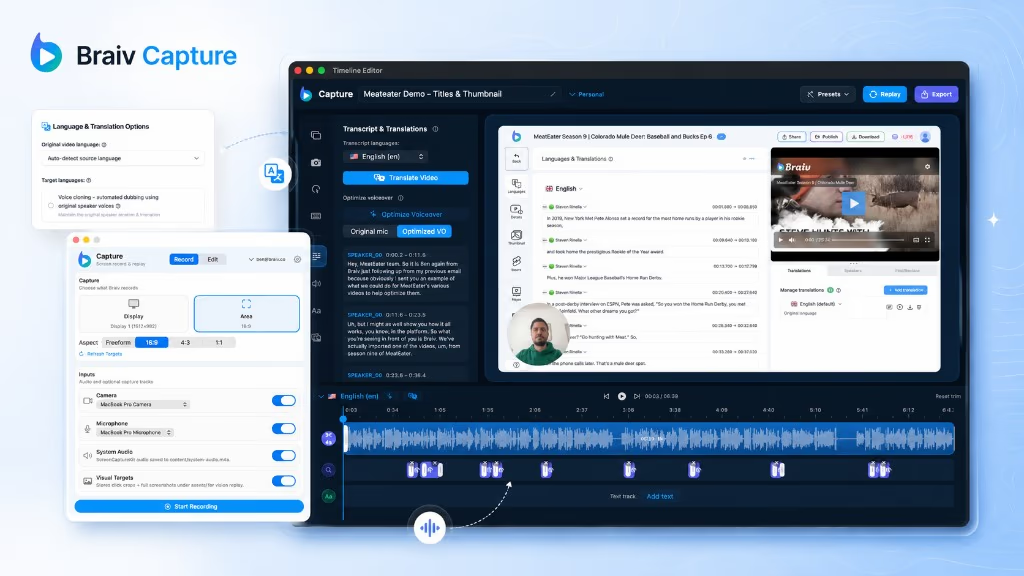
Scribe turns your clicks into a written guide with screenshots. Braiv Capture turns one recording into a localized video and the matching article — screens included.

Trusted by 100,000+ creators, podcasters & businesses globally
Creators and teams who trust Braiv for AI video production
domaine homes logo
puma logo
tesla logo
micd-up logo
antler logo
canva logo
thirdi logo
screenapp logo
anchored outdoors logo
domaine homes logo
puma logo
tesla logo
micd-up logo
antler logo
canva logo
thirdi logo
screenapp logo
anchored outdoors logo
Side by side

Braiv Capture and Scribe, row by row

Competitor behaviour below reflects Scribe’s public product and pricing pages as checked on 9 August 2026, including the translation line on their pricing table.

Capability Braiv Capture Scribe
Available today Early access waitlist Included
Step-by-step written guide Included Included
Video walkthrough of the same task Included Screenshots and text
Spoken narration Your cloned voice Not included
Guide text translated Included Enterprise module
On-screen text inside the visuals translated Included Not included
Steps replayed against your localized UI Included Not included
Video and article generated from one recording Included Not included
Dubbing, captions and publishing in the same platform Included Not included
The short answer

Which one should you pick?

Scribe is the faster way to produce a written how-to. Braiv Capture is the better fit when the same walkthrough has to exist as a video, as an article, and in more than one language.

Choose Braiv Capture if

  • You need the video and the written guide, not one or the other
  • Your documentation has to be readable in several languages
  • Screenshots full of English UI defeat the point of translating the text
  • You can wait for early access — Capture is not generally available yet

Stick with Scribe if

  • A written guide with screenshots is the whole deliverable
  • Your documentation only needs to exist in English
  • You want something your team can use this afternoon
Where Braiv pulls ahead

What one recording is supposed to produce

Scribe and Capture both start with someone doing the task once. The difference is what comes out the other side, and how many languages it comes out in.

01

Step-by-step guides and help articles from a screen recording

The same cleaned script that voices your support video writes the step-by-step guide — structured software documentation in every language you publish, kept in sync with the video.

Learn more
02

Support video translation, audio and on-screen text

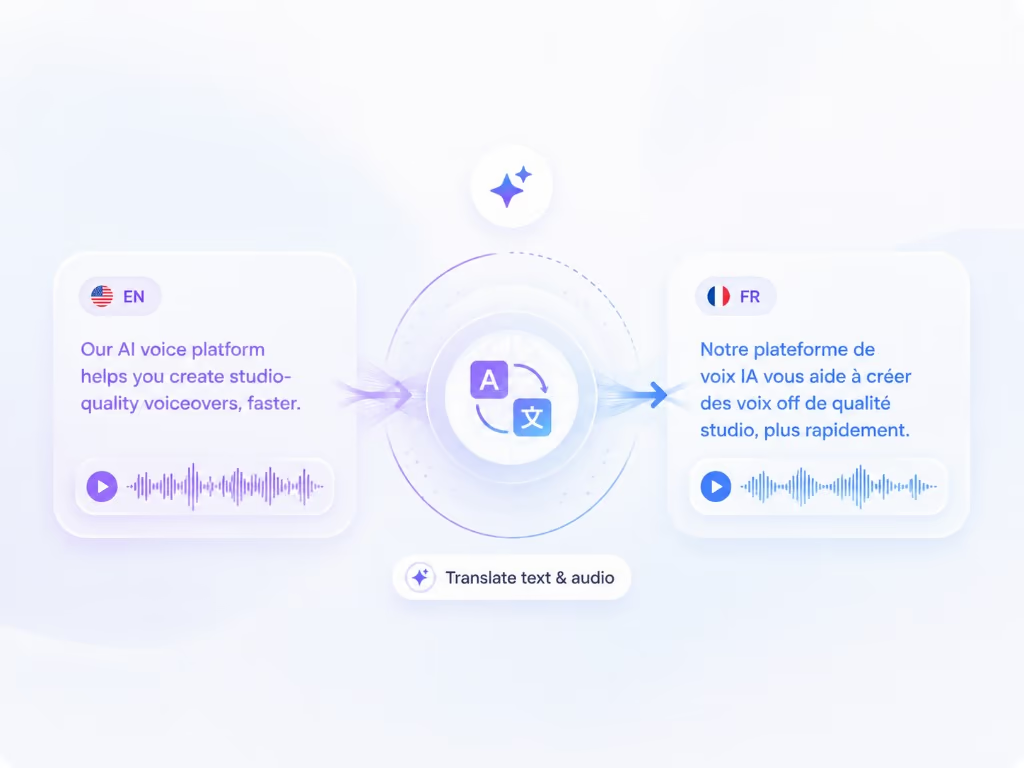
Dub a screen recording into another language and translate the on-screen text with it — narration, captions, callouts, and text overlays localized in the same pass, so a walkthrough never switches back to English halfway through.

Learn more
03

Automated re-recording in a localized UI

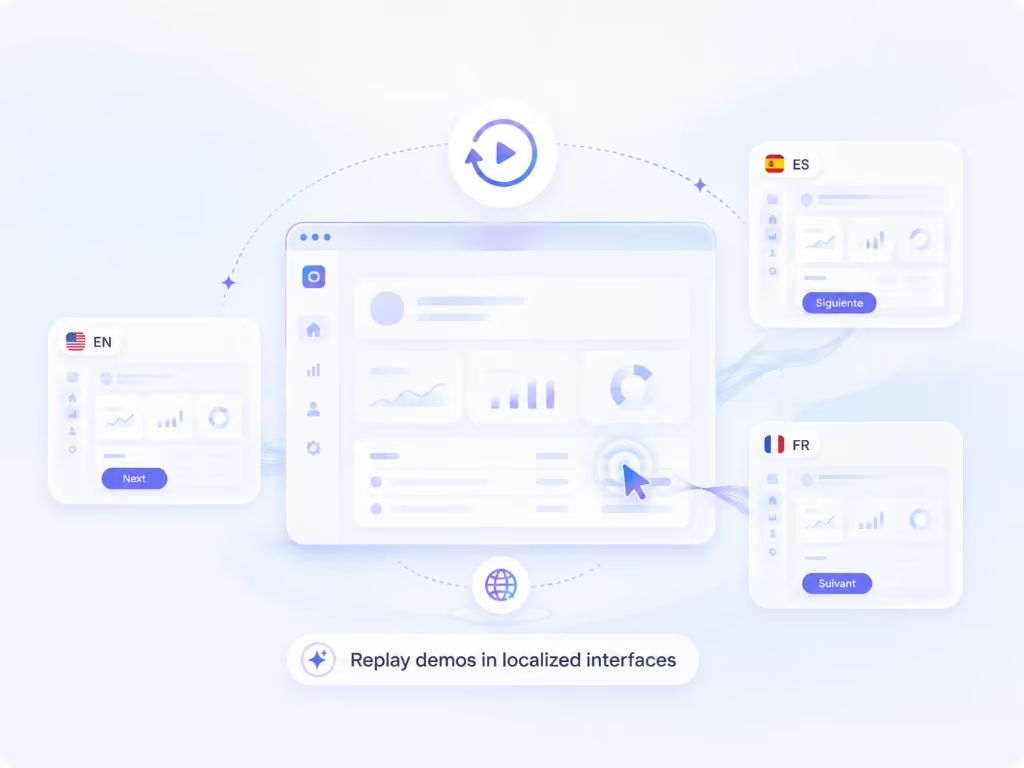
Capture keeps your walkthrough as a replayable session, so the same steps can be re-recorded against your product in another language — a native screencast per market without re-shooting anything.

Learn more
The detail

In more detail

What Scribe is actually good at

Scribe is the fastest way most teams have found to get a process out of someone’s head. You perform the task, it captures the clicks, and you get a written guide with screenshots and steps — no recording, no editing, no talking. For internal process documentation at volume, that is a genuinely good trade, and it is why “we no longer dread doing process documentation” is the kind of quote on their homepage.

People searching for a Scribe alternative usually are not unhappy with that. They have hit one of two walls: the audience wants to watch the task rather than read it, or the documentation has to exist in languages other than English.

Competitor behaviour on this page reflects Scribe’s public product and pricing pages as checked on 9 August 2026.

Text and video are not the same deliverable

Written steps are excellent reference material for someone who already knows roughly what they are doing. A video is what a new customer or a new hire wants the first time through, because it shows pace, context and the parts between the clicks.

Most teams end up needing both, which normally means documenting the same workflow twice in two tools and then watching them drift apart. Braiv Capture produces both from one recording: the cleaned script becomes the narration and the step-by-step article, so they cannot describe different products.

The screenshot problem nobody mentions

Here is the part that decides this comparison for localization buyers.

Translating a written guide translates the prose. The screenshots stay exactly as captured — English menus, English buttons, English tooltips. Your German reader now reads a German sentence telling them to click something that is labelled in English, and has to map one to the other on every step.

Capture attacks the visual layer instead of only the words. The walkthrough is stored as a replayable session, so it can be run again against your product switched to German — a real screencast of the German interface — while captions, titles, callouts and on-screen text are translated in the same pass. The honest constraint: your product has to be localized already. Braiv records the real UI, it does not invent one.

Translation sits at the Enterprise end for them

As checked on 9 August 2026, Scribe’s pricing table lists “Language translations” — instant translation of Scribes into supported languages — as available with select Enterprise modules. That is not a criticism of the feature; it is a note that if multilingual documentation is your reason for buying, you should price the tier that includes it rather than the seat price on the plan card.

For Capture, multilingual is not a module. It is the reason the product exists, which is also why the localized output is the same subscription and credit balance as the rest of Braiv rather than a separate line item.

Early access, stated plainly

Braiv Capture is pre-launch, so there is no signup button on this page — the waitlist below is the queue, and access is invite-based.

If your documentation backlog is English and urgent, Scribe is the tool that solves it today. If the same backlog has to exist in six languages and increasingly wants video, join the waitlist and let us show you a localized screencast before you standardise on text.


Questions

Frequently asked questions

Is Braiv Capture available yet?
Not generally. Capture is in early access and access is invite-based — the waitlist on this page is the queue. If you need process documentation today, Scribe works today, and that is the honest answer.
Does Scribe translate guides into other languages?
On their pricing page as checked on 9 August 2026, "Language translations" is listed with the note that it instantly translates Scribes into supported languages and is available with select Enterprise modules. So translation exists, but it sits at the Enterprise end of their plans — and what it translates is the guide text.
What happens to the English text inside the screenshots?
That is the part worth thinking about before you localize documentation. A translated guide still shows captured screenshots of an English interface, so the reader matches translated instructions against English buttons. Braiv Capture replays the recorded session against your product switched to another language and translates captions, callouts and on-screen text, so what the reader sees matches what they read. Your product does need to be localized already — Braiv records the real UI, it does not synthesise one.
Does Braiv Capture produce a written guide too, or only video?
Both, from one script. The cleaned narration becomes the voiceover and the same script generates a structured step-by-step article with headings and numbered actions, in each language you publish. They stay in sync, which matters when a release renames a button.
How much does Scribe cost?
Checked on 9 August 2026, Scribe offers a free tier plus paid seats listed at $35 per seat per month, or $25 per seat billed annually, with a team tier and a custom Enterprise tier above that. Prices and module packaging change — check their pricing page before deciding.
Do I need to record with a good voice or a script?
No. Talk through the task the way you normally would. Capture treats the recording as source material, strips filler words and false starts, rewrites the wording, then revoices it with a Braiv Speech clone of your voice. Your first take is the only take.
Can I use Scribe and Braiv Capture together?
Yes. Plenty of teams will keep Scribe for quick internal process notes and use Capture for the customer-facing library that has to be published in every market. The overlap only becomes a decision when you are paying twice to document the same workflow.

Be first to localize your support library

Join the early-access waitlist and we'll reach out when your workspace can record once and publish support content in every language.