Early access Braiv Capture waitlist is open — record once, publish support videos in every language.

Braiv Compressor

Reduce Video Size Without Losing Quality

The ultimate free video compression app for Mac and Windows. Easily shrink MP4, MOV, and MKV files by up to 75% for Discord, email, or fast web uploads.

Trusted by 100,000+ creators, podcasters & businesses globally
Creators and teams who trust Braiv for AI video production
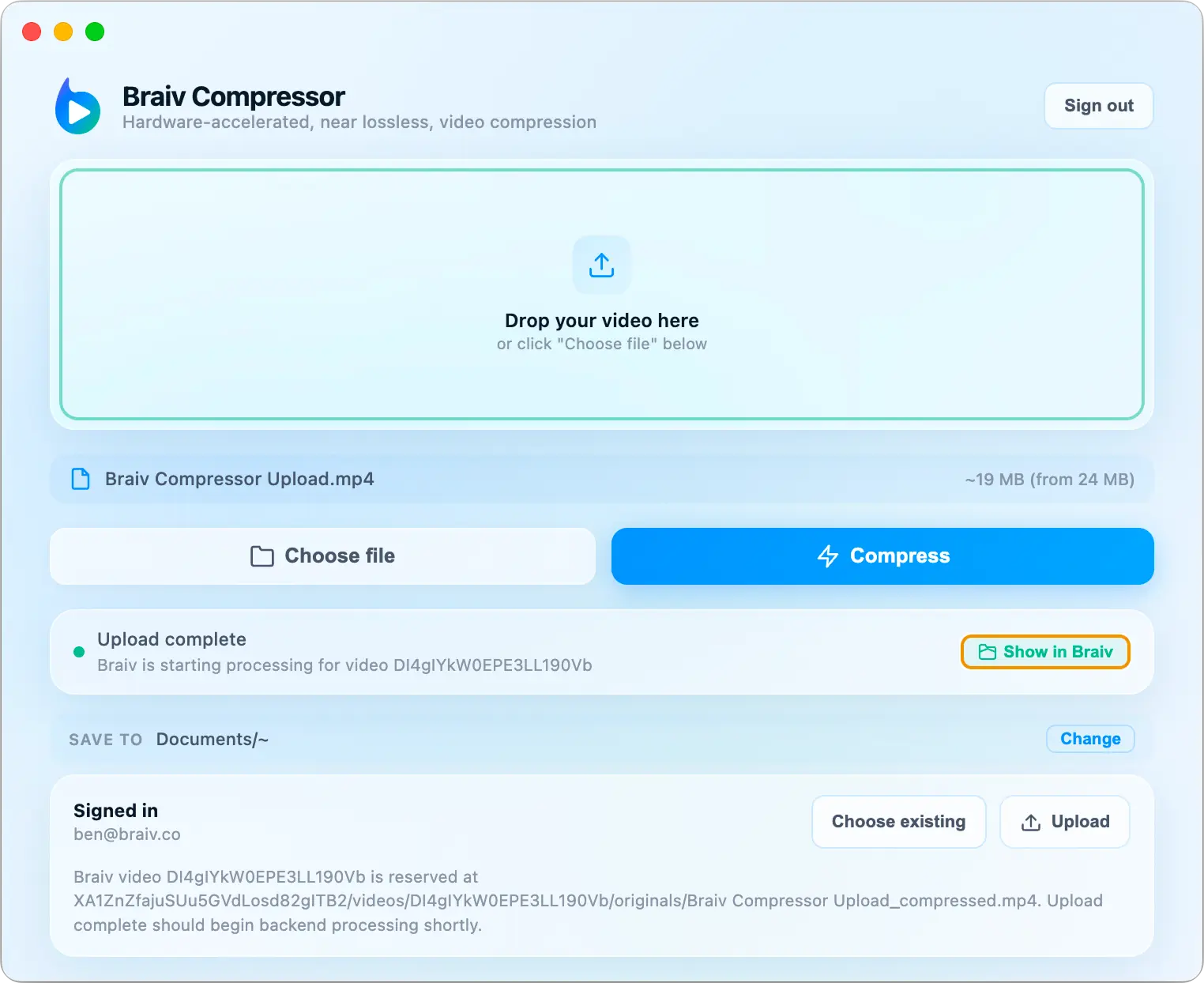
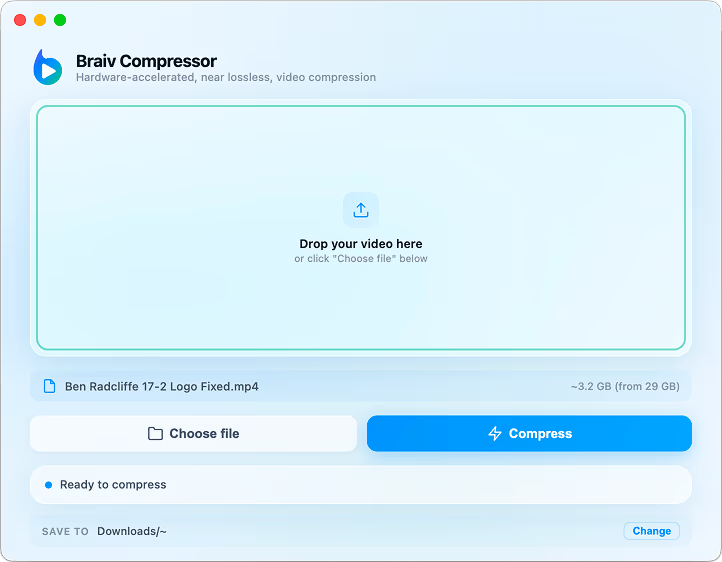
Braiv Compressor desktop app — free hardware-accelerated video compression for Mac and Windows
At a glance
75%
Typical size reduction Without a visible quality cliff
Local
On-device processing Videos never leave your computer
GPU
Hardware acceleration Apple Metal and NVIDIA NVENC
Free
Mac and Windows No watermark, no subscription
domaine homes logo
puma logo
tesla logo
micd-up logo
antler logo
canva logo
thirdi logo
screenapp logo
anchored outdoors logo
domaine homes logo
puma logo
tesla logo
micd-up logo
antler logo
canva logo
thirdi logo
screenapp logo
anchored outdoors logo
Capabilities

Built to shrink masters before they upload

Two capabilities carry the job: GPU-accelerated compression that holds visual quality, and a desktop app that keeps every file on your own machine.

01

Hardware-Accelerated 4K Video Compression

Utilize the full power of your GPU with support for Apple Metal and NVIDIA NVENC for lightning-fast compression. Our advanced compression algorithms ensure you keep the visual fidelity while significantly reducing file size.

  • Apple Metal
  • NVIDIA NVENC
  • Up to 75% smaller
Hardware-accelerated 4K video compression shrinking a master file by up to 75 percent
02

Private Desktop Compression for Mac and Windows

All processing happens locally on your machine. Your videos never leave your computer, ensuring total privacy. Sign in from the app to instantly upload compressed videos directly to your Braiv account for fast, seamless publishing.

  • No cloud upload
  • Mac & Windows
  • Upload to Braiv
Learn more
How it works

From upload to published

  1. 01

    Download & Install

    Choose the installer for your operating system and follow the simple setup guide.

  2. 02

    Drag & Drop

    Simply drag your video files into the app interface to get started.

  3. 03

    Compress & Upload

    Instantly shrink your file and upload it directly to Braiv for seamless publishing.

Deep dive

Everything you need to know about Braiv Compressor

Finding a reliable free video compressor that actually preserves the visual fidelity of your content is a challenge. Braiv Compressor solves this by using advanced, hardware-accelerated algorithms that let you reduce video size without losing quality. Whether you need to shrink massive 4K files down for an email attachment, or you are a gamer looking for a reliable video compressor for Discord, our desktop app ensures your content stays crisp while the file size drops by up to 75%.

Compress Video to 10MB or Less

Social platforms and messaging apps like Discord have strict file size limits. With Braiv Compressor, you can easily compress video to 10MB or less, making it the perfect companion for quick sharing. Because the app runs natively on your macOS or Windows machine, you don't have to wait for slow browser uploads—just drag, drop, and share.

A Free Video Compressor Built for Creators

We built Braiv Compressor because we were tired of online tools that plastered watermarks over our content or held our files hostage behind paywalls. This is a genuinely free video compressor app designed to streamline your workflow. It supports all major formats including MP4, MOV, and MKV, making it an essential utility for podcasters, YouTubers, and video editors.

Compress once, publish everywhere

Compression is the first step, not the finish line. Sign in from the app to send compressed masters straight to your Braiv account, where the same recording becomes shorts, clips, thumbnails, captions, and dubbed versions in 80+ languages. Need to change container formats instead of file size? The browser-based free video converter handles MP4, WebM, and MOV without an install.


Questions

Frequently asked questions

How do I reduce video size without losing quality?
Braiv Compressor uses advanced hardware acceleration (Apple Metal and NVIDIA NVENC) to efficiently re-encode your video files. This allows the app to strip out unnecessary data and drastically reduce the file size while maintaining a near-lossless visual quality.
Is this a free video compressor?
Yes! Braiv Compressor is a 100% free desktop application for Mac and Windows. There are no hidden fees, no watermarks added to your videos, and no arbitrary file size limits.
Can I use this as a video compressor for Discord?
Absolutely. Discord has strict file upload limits (typically 10MB to 25MB for free users). Braiv Compressor makes it incredibly easy to compress your gameplay clips or screen recordings down to fit within those limits so you can share them instantly.
Does the app support MP4, MOV, and MKV files?
Yes, the app supports all standard video formats. You can input large MOV or MKV files and the compressor will output highly optimized MP4 files that are ready for the web.

Start Compressing Today

Join thousands of creators who save storage space and upload faster without sacrificing quality.