
Optimize voiceover
Lipsync the cleaned-up take
Your rewritten script, in your re-voiced voice, matched to your face on camera.
Voiceover optimization
When your face is in the tutorial, a new voiceover can make it look dubbed. Braiv Lipsync matches the presenter's mouth to the optimized voiceover or to each translated language, as an option in Braiv Capture.
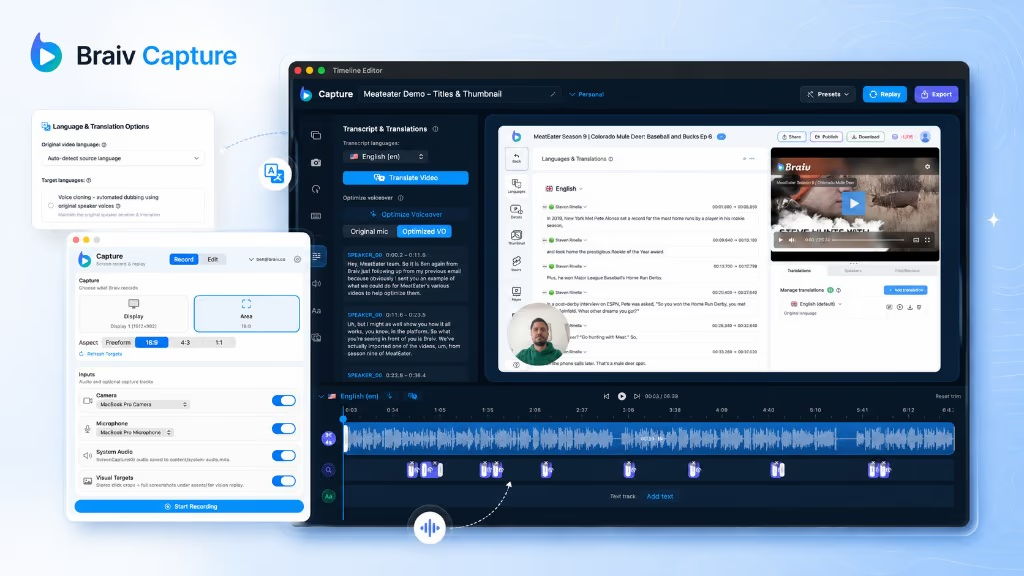
Braiv Capture is a native Mac app for tutorial videos. Talk through the task the way you normally would, and Capture rewrites the voiceover into clean sentences, re-voices it in your own voice with studio-mic sound, translates the audio and on-screen text, and lipsyncs your webcam. Then export to Braiv to package and publish.
Explore Braiv CaptureCapability 3 of 6
Braiv Lipsync in Braiv Capture matches a webcam presenter's mouth movement to an optimized voiceover or a dubbed translation, so tutorial videos with a presenter bubble look natural in every language.
Mouth movement matches the new words, so viewers stop noticing the voice was replaced.
The rewritten, re-voiced script lines up with your face even where sentences changed.
Each translated version gets its own lipsync, so the presenter looks native in all of them.
A toggle per project. Screen-only tutorials skip it and its credits.
Lipsync the speaker sits in both sheets that replace the voice in your recording.
Your rewritten script, in your re-voiced voice, matched to your face on camera.
Voiceover optimization
Each language you tick gets its own lipsynced presenter, alongside the translated text overlays.
Full video translationLipsync works on the webcam track, so it only makes sense when you recorded one.

Product walkthroughs, course lessons and onboarding videos where your webcam bubble is part of the frame.
The bigger your face is in the frame, the more a mismatch shows, and the more lipsync helps.
No webcam, no lipsync needed. The voiceover and translations work exactly the same without it.
Voiceover optimization and full video translation both replace what you said. For a screen-only tutorial, that is the whole job. With your webcam in the corner, it is not: the audio says one thing and your mouth says another, and viewers notice within a second.
Braiv Lipsync closes that gap. It matches the presenter’s mouth movement to the new voiceover, so the person in the bubble looks like they recorded this version.
Lipsync is a toggle, Lipsync the speaker, in the two places Capture creates a new voice:
Turn it on, confirm the cost and Capture returns the voiceover with a lipsynced camera track. Everything else in the project, from text overlays to zooms, stays as it was.
Most lip sync dubbing software is built for finished footage: a film, an ad, a talking-head video. Capture is built for tutorials, where the presenter is a bubble on top of a screen recording and the lipsync has to follow the voiceover you just optimized or translated. Both use Braiv’s lipsync engine. For finished videos made elsewhere, use lip sync in Braiv Dubbing.
Braiv Lipsync is part of Braiv Capture.
Other attributes of the same product — useful if this page was not quite the one you meant.
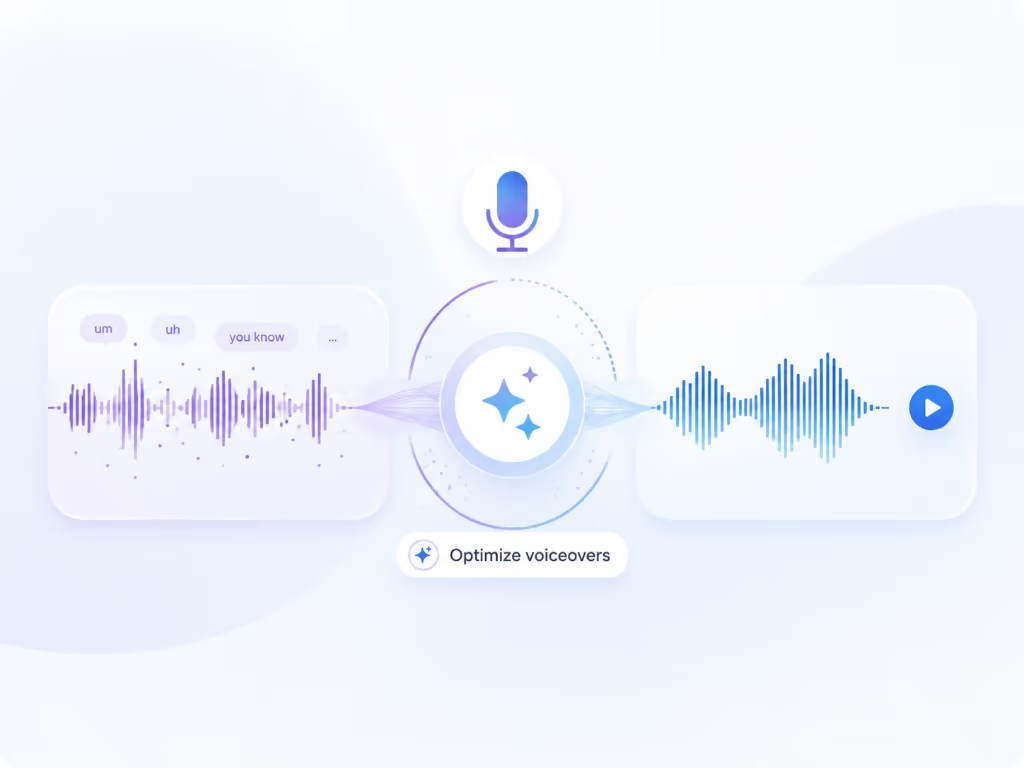
Optimize voiceover rewrites your first take into clean, full sentences with no ums or false starts, then re-voices it in your own voice with studio-mic sound, still in time with every click on screen.
Learn more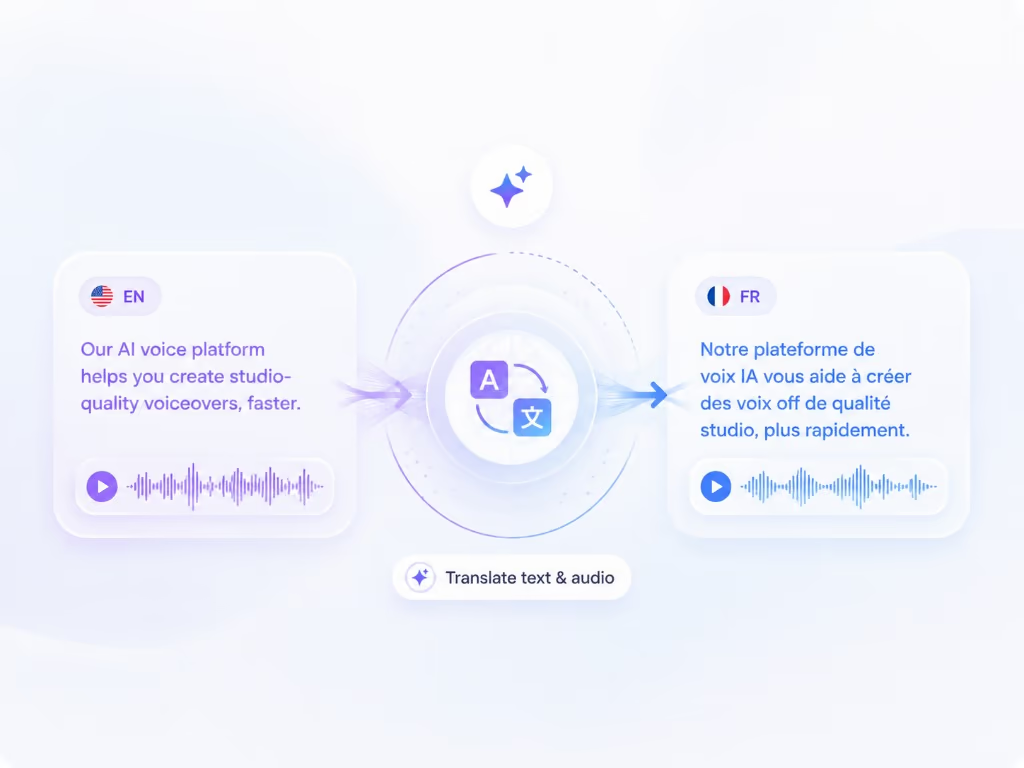
Translate video dubs your voiceover into the languages you choose with your cloned voice, and translates every text overlay you added in Capture at the same time, right inside the app.
Learn moreOne click sends the finished tutorial and every language you made from Capture to your Braiv workspace, with no credits used. Add a title, description and thumbnail, publish to YouTube, or embed it on your site with Braiv Player.
Learn moreBraiv Capture covers the Capture stage. Braiv runs the rest of the sequence on the same recording — so what you make here ends up packaged, localized and published without leaving the platform.
See the full workflowNative macOS app. Record a tutorial once, optimize the voiceover, translate it, and export to Braiv.
Braiv Capture is launching soon. Join the waitlist and we'll invite you as soon as your workspace can create localized support content.
You're on the list
We'll email you when early access opens. Reply to that email if you want to tell us more about your support library.