
The Best Clickbait Thumbnail Generator AI Free Tools in 2026
Skyrocket your YouTube click-through rate (CTR) with these fully automated, free AI clickbait thumbnail generators—no design experience required.
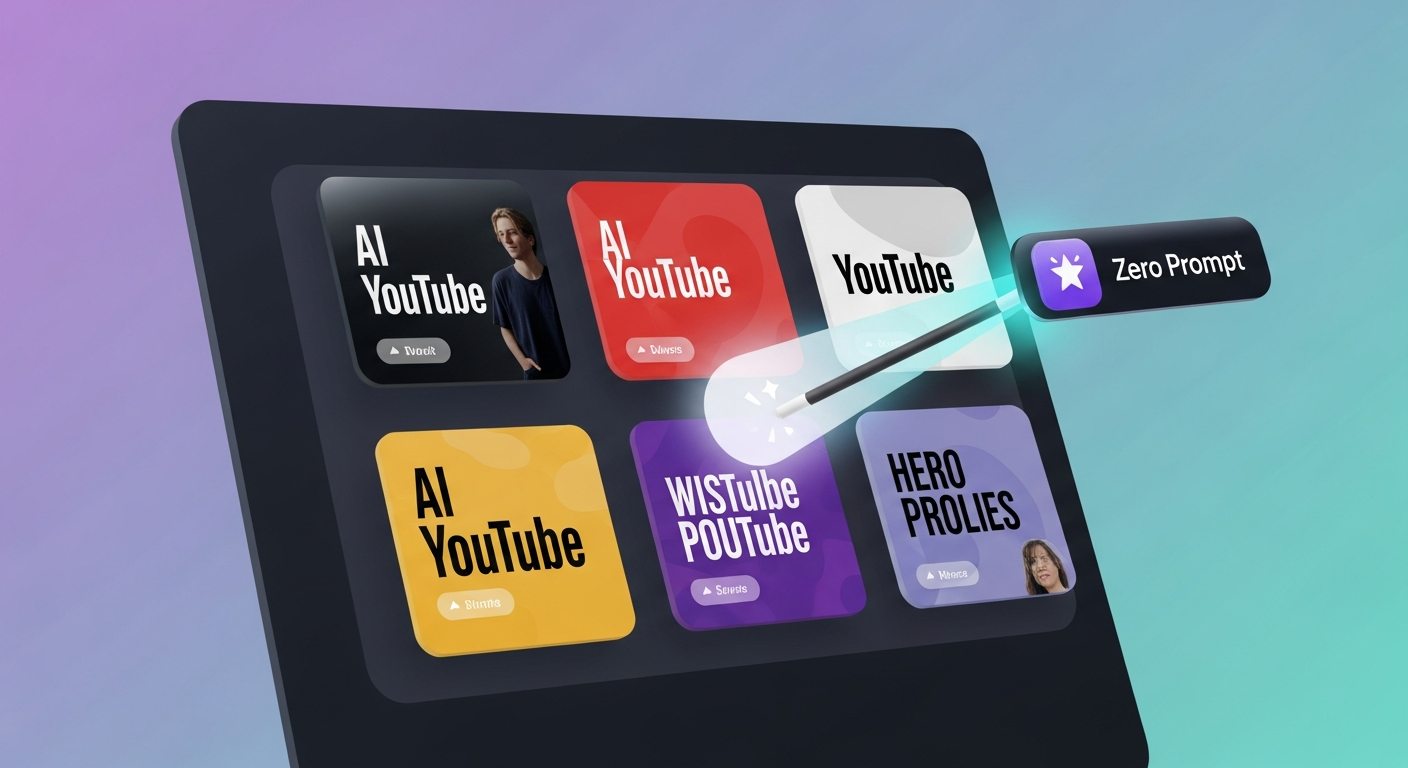
TL;DR: Traditional thumbnail editors force you to design from scratch. In 2026, the ultimate free workaround is using Braiv Thumbnails to automatically extract high-converting, clickbait-style thumbnails straight from your video content using AI—no design experience required. Below, we rank the best free options on the market.
What is the best clickbait thumbnail generator AI free tool in 2026?
The best free tool is Braiv Thumbnails. It analyzes your video’s transcript and visual stream to automatically extract the most viral, click-worthy frame and styles it with high-converting text overlays and facial focus on autopilot. This outperforms traditional editors like Canva, Snappa, or Adobe Express because it requires zero prompts or manual design tweaks.
The Modern Shift: Why Clickbait Thumbnails Dominate 2026 YouTube
Every experienced creator knows that your video is only as good as its click-through rate (CTR). You can spend 40 hours editing a cinematic masterpiece, but if nobody clicks, your views remain at zero. In 2026, YouTube’s recommendation algorithm is hyper-focused on click-through rates and early retention.
Because of this, the demand for high-CTR “clickbait” thumbnails—visual assets designed to provoke intense curiosity and prompt an immediate click—has skyrocketed. However, manually designing these assets is a massive operational bottleneck. It typically involves:
- Scanning your raw footage for high-emotion facial expressions.
- Removing backgrounds manually in Photoshop or Canva.
- Drafting visual hooks that complement, rather than duplicate, your video title.
- Applying color grading and drop-shadows to ensure high contrast in YouTube dark mode.
A professional clickbait thumbnail generator automates this entire sequence. By shifting from isolated graphic design tools to end-to-end Video Packaging & Publishing, creators can now generate these psychological click triggers on autopilot.
1. Braiv Thumbnails — The Only Zero-Prompt Clickbait Generator
Braiv Thumbnails represents a paradigm shift in YouTube packaging. Instead of forcing you to choose a template and type in complex design prompts, Braiv operates directly on your video.
When you upload your video file to Braiv, the AI automatically analyzes the transcript and visual frames. It identifies the most high-retention, high-emotion hook, crops the speaker’s face cleanly, and layers psychological text overlays designed to maximize CTR.
Why Braiv Thumbnails wins for clickbait generation:
- True Autopilot: Generates several clickbait variations directly from your upload—no templates required.
- Visual Psychology Integration: Automatically applies visual elements like contrasting borders, face enlargements, and short, high-impact text.
- Multi-Channel Auto-Publishing: Once generated, you can push the thumbnail directly to YouTube or scale it internationally via Braiv Connect.
For creators who want global reach, Braiv is the only platform that will translate and localize your thumbnails into 50+ languages, auto-uploading them to localized YouTube channels without the extra grind.
2. Canva — The Default Free Template Editor
Canva remains a popular point solution for graphic design. Its free tier offers access to hundreds of pre-sized YouTube thumbnail layouts and standard typography.
What Canva lacks is automated intelligence. You still have to manually take screenshots of your video, remove the background, draft the hook, and drag design elements across the canvas. Canva is an editor, not an automated generator. If you have design skills and are happy spending 20 minutes per upload, Canva is highly functional. If you want speed, it is a significant bottleneck.
3. Snappa — Lightweight Design Workarounds

Snappa is another web-based editor that provides a clean, fast interface for creating video thumbnails. Its template library is highly focused on clean, corporate branding rather than high-curiosity clickbait.
While Snappa makes it easy to quickly resize graphics, the free plan restricts you to three downloads per month. For active creators publishing weekly or running multi-channel networks, this free tier is far too restrictive.
The Strategic Content Blueprint for Click-Through Optimization
To unlock true organic growth in 2026, clickbait thumbnails must be combined with a robust multi-channel auto-publishing strategy.
- A/B Test Thumbnail Variants: Don’t rely on a single visual hook. Generate at least three variants and let YouTube’s native test-and-compare tool find the winner.
- Complement the Title: Never repeat your video title on the thumbnail. If your title is “How to Grow on TikTok,” your thumbnail should read “Secret Hack!” or “This Works!” to spark curiosity.
- Keep Text Under 3 Words: Viewers browse YouTube on mobile. Large, clean, highly-contrasting text is crucial for readable click triggers.
By automating your packaging with Braiv, you eliminate the design grind entirely, allowing you to focus on creating world-class video content.
Generate AI Thumbnails
Create click-worthy YouTube thumbnails directly from your video.