
YouTube Thumbnail Brand Guidelines: Why Rules Beat Templates
Written style guides are aspirational and applied by hand, so they drift. A brand guideline kit is read backwards out of the covers that already worked, then applied automatically — here is how to build one.
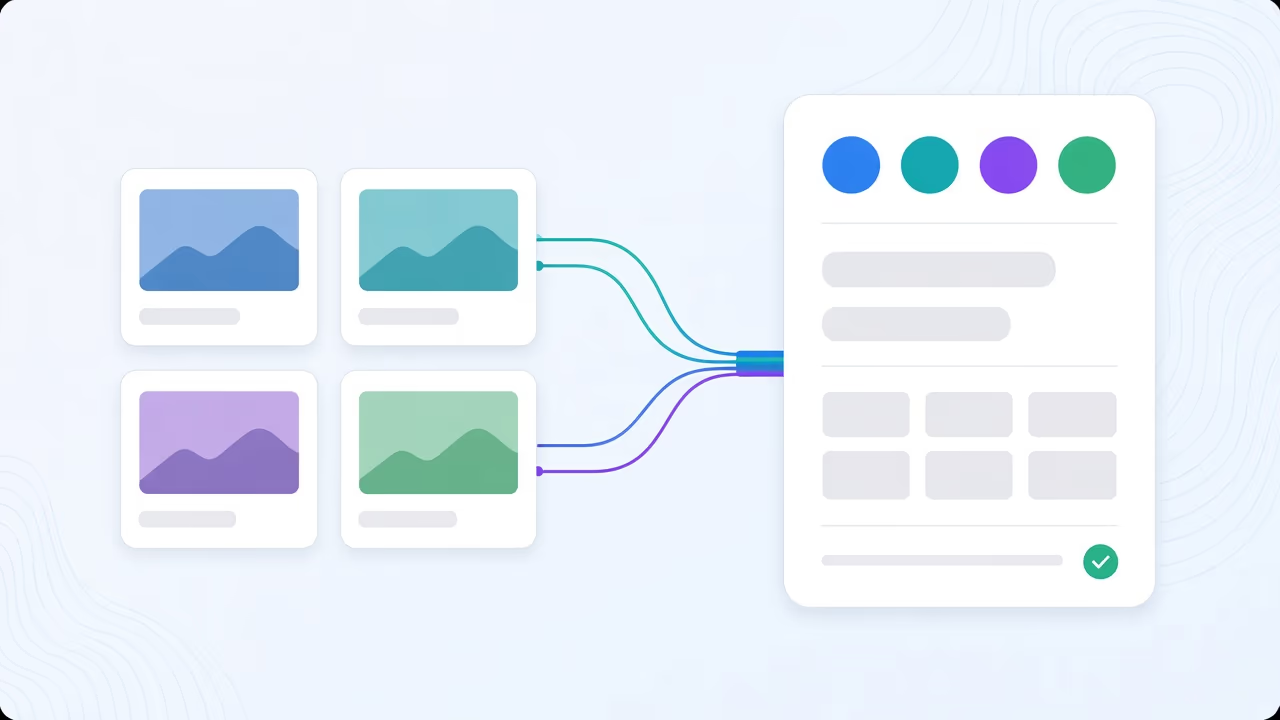
Every channel has a style. Almost none of them keep it.
Ask most creators what their thumbnails are supposed to look like and they can describe it in a sentence: bold caps, my face on the right, blue and orange, the logo bottom-left. The style exists. The problem is where it lives — in one editor’s head, or in a PDF that was accurate eighteen months ago.
The moment volume goes up, the drift starts. A daily upload. A second channel. A freelancer covering a week while you travel. Nobody breaks the rules on purpose; the rules just were not written down anywhere that gets checked before publish. Six months later the channel does not look dramatically different, it just stops being instantly recognisable in a subscriptions feed — which is the one job a thumbnail style has.
Why the written guide is the wrong shape
Most thumbnail style guides fail for a structural reason, not a discipline reason: they are written forward, as an aspiration, and then applied by hand.
Someone sits down and decides what the channel should look like, documents it, and hopes every future thumbnail matches. That is backwards from how a style actually gets discovered. Your channel’s real visual identity is not the one in the doc — it is the pattern across the ten thumbnails that got the best click-through, whether or not anyone planned it that way.
A brand guideline kit is built the other direction: read out of covers that already worked, then held automatically instead of hoped for.
What gets analysed out of your best covers
Import your channel’s recent thumbnails — Braiv pulls them in batches of up to 12 — and choose the one to four that best represent the look you want to keep. Not necessarily your favourites: the ones that earned the clicks.
From that small set, Braiv analyses an explicit kit:
- Palette — the colours that recur, and how contrast separates subject from background
- Typography — weight, case, outline treatment, and roughly how many words the channel trusts a viewer to read
- Layout conventions — where the subject sits, how the frame breathes, what the eye is meant to hit first
- Required chrome — the logo lockup, the recurring badge, the series marker that must always appear
- Do-not-copy — the details from those specific examples that should never travel forward
That last category is the one written guides almost never include, and it is what stops the kit from dragging a one-off headline or prop into every future thumbnail just because it happened to be in a good-performing example.
Rules beat templates because a template is one shape
A template says: put the face here, the text there, in this box. It works exactly once — for videos that are that shape. The first time you publish a screen recording instead of a talking-head video, or a two-guest interview instead of a solo piece, the template gets forced into a bad fit or abandoned outright.
A rule set does not care about shape. “Heavy uppercase type, this five-colour palette, subject large, badge bottom-left” is satisfied by a ten-minute tutorial and a two-hour interview equally, even though the two thumbnails look nothing alike as pictures. That is the actual definition of a channel look: not one layout repeated, but the same decisions made differently every time.
One kit per channel — the agency case
This is where a written guide becomes genuinely unworkable and a kit does not: each connected channel in Braiv keeps its own guideline set. An agency running a dozen client rosters gets a system instead of a liability — a client’s rules apply only to that client’s uploads, and there is no scenario where one brand’s palette ends up on another’s video because someone grabbed the wrong file.
It also fixes onboarding. A new editor covering a channel for the first time inherits the kit instead of a Slack thread of tribal knowledge about “how this channel usually looks.”
The kit is a default, not a cage
None of this removes judgement — it removes the need to re-apply judgement on every single upload. You can override the kit for one video, run a deliberately off-brand test, or layer an outward style reference on top when you want to enter a format that is proven elsewhere in your niche without losing your own identity underneath it. If the imagery itself needs to come from real footage rather than being generated, the same kit still governs palette and type when you run generation through Precision mode.
Consistency also is not performance on its own, so a kit does not skip the rest of the pipeline. Every generated option is still scored for composition, legibility and title match before publish, overlay text can be translated for other markets without breaking the look, and approved thumbnails push straight to the connected channel.
Stop rewriting the rules and start reading them
The channels that stay recognisable at volume are not the ones with the best-written guide. They are the ones whose rules were never really written — they were extracted from what already worked and then enforced automatically, every single time.
Build a brand guideline kit from your best-performing covers in Braiv Thumbnails and stop deciding the channel’s look from scratch on every upload.
Frequently asked questions
What should a YouTube thumbnail style guide include?
A useful one covers palette (the colours that recur and how subject separates from background), typography (weight, case, outline, how many words the layout trusts), layout conventions (where the subject sits, what the eye hits first), required chrome (logo, badge, series marker), and — the part written guides usually skip — a do-not-copy list naming what was specific to one video and should never carry forward.
Why does a thumbnail template stop working after a while?
A template fixes the layout: face here, text there. It works until you publish a video that is a different shape — a screen recording instead of a talking head, a two-person interview instead of a solo piece — and then it gets abandoned or forced into a box it does not fit. A rule set fixes the palette, type and framing logic instead, which a template and an interview can both satisfy while looking nothing alike as pictures.
How is a brand kit different from a style reference?
A style reference is a one-off: recreate the grammar of a specific thumbnail you found elsewhere. A brand guideline kit is standing policy — this is what our channel looks like, applied to every generation, until you change it. See the full feature.
Can an agency run separate brand guidelines per client channel?
Yes — each connected channel keeps its own kit, so a client’s rules apply only to that client’s uploads and never leak into another roster. Business connects unlimited channels, Pro connects 10, Starter connects 3, which sets the practical ceiling on how many client kits you can run at once on a given plan.
Does using a brand guideline kit cost extra AI credits?
A thumbnail generation starts at 20 AI credits and each attached reference adds 5. Starter includes 600 credits a month (30 thumbnails), Pro 2,700 (135), Business 5,400 (270), with unused credits rolling over up to three times the monthly allowance.
Generate AI Thumbnails
Create click-worthy YouTube thumbnails directly from your video.