
Best YouTube Keyword Tools 2026: 7 Options Compared
The best YouTube keyword tool in 2026 depends on the job: official search data in YouTube Studio, relative interest in Google Trends, paid keyword scores in vidIQ or TubeBuddy, autocomplete lists in Keyword Tool, clickstream volume in Ahrefs, or a free topic-and-tag finder in Braiv.
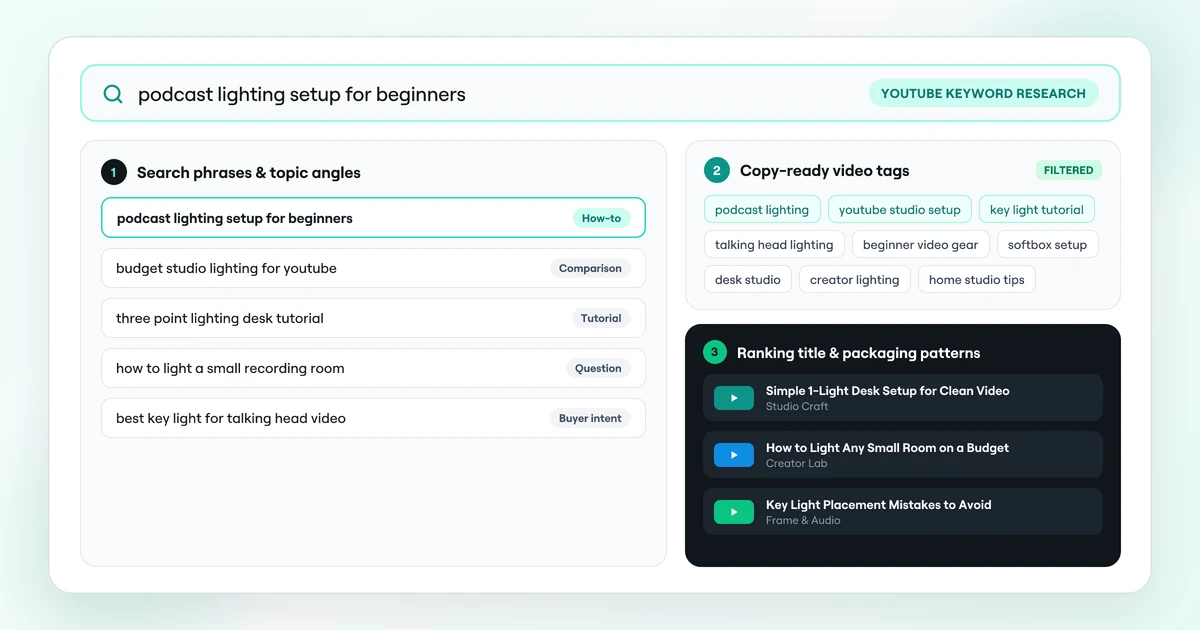
Updated November 2026.
The best YouTube keyword tools in 2026 help you discover what people type into YouTube search, then put that wording into a title, thumbnail, and description. Official data lives in YouTube Studio. Paid suites such as vidIQ and TubeBuddy add keyword scores and in-browser research. Free options range from Google Trends and Keyword Tool to Braiv’s YouTube Keyword Finder.
TL;DR: Start with YouTube Studio (Analytics → Trends, rolling out as Research for some creators) to see the searches tied to your own audience over the last 28 days. Use Google Trends with the YouTube Search filter for relative interest over time. Add vidIQ or TubeBuddy if you want scored keyword ideas inside a creator suite, Keyword Tool for YouTube autocomplete lists, and Ahrefs for clickstream volume when that YouTube tool is available. Use Braiv’s free YouTube Keyword Finder when you want search-style topic ideas, copy-ready tags, and a look at the videos already ranking — without a subscription. Disclosure: Braiv wrote this page and offers one of the seven tools compared below; the Braiv finder is listed last on purpose.
A YouTube keyword tool is a research aid that suggests search phrases, related terms, or tags for a video topic. It does not rank the video for you. YouTube Help (checked 27 November 2026) says your title, thumbnail, and description matter more for discovery than tags, and that tags mainly help with common misspellings.
What is a YouTube keyword tool?
A YouTube keyword tool is software that helps you find the phrases viewers type into YouTube search, so you can pick a topic and write packaging around language people already use. Some tools estimate search volume or competition. Others only list autocomplete suggestions, or show the videos already winning for that search.
That distinction matters, because YouTube does not publish an official, public per-query search-volume number the way Google Ads Keyword Planner does for web search. Third-party “volume” figures are models or clickstream estimates, which is why two paid tools can score the same phrase differently. The closest official view is in YouTube Studio: the Trends tab shows top searches based on your audience and saved terms over the last 28 days (Explore trends on YouTube, checked 27 November 2026).
How we compared these
Every tool below was checked on 27 November 2026 against the vendor’s own product or pricing pages, plus YouTube’s official help. We quote prices only when a standard list price was clearly published on that date:
- vidIQ displayed a seasonal Black Friday / Cyber Monday offer alongside its regular list prices. This article quotes the regular list prices shown on vidiq.com/plans, not the discounted offer.
- TubeBuddy’s pricing URL still opened a Black Friday promotion (50% off annual Pro and Legend plans, dated 23–27 November 2026), so standard list prices are omitted.
- Keyword Tool Pro dollar pricing was not published on the public YouTube tool or homepage we checked, so those prices are omitted.
- Ahrefs’ YouTube Keyword Tool was under maintenance on 27 November 2026; the page told visitors to use Ahrefs’ Keyword Generator instead.
The six independent options appear first, from official and free research through paid suites and datasets. Braiv’s YouTube Keyword Finder is placed last (7th) on purpose.
What are the best YouTube keyword tools in 2026? (Comparison table)
| Tool | Primary job | Free access (27 Nov 2026) | Main gap |
|---|---|---|---|
| YouTube Studio | Official audience searches and content gaps | Included with any channel | Shows your audience, not a global keyword database |
| Google Trends | Relative YouTube Search interest over time | Free | Index of interest, not exact search volume |
| vidIQ | Keyword scores, related terms, creator suite | $0 plan with 150 AI Credits/month | Volume and scores are estimates; not official YouTube data |
| TubeBuddy | Keyword Explorer inside YouTube Studio | Free extension (list prices not confirmed) | Standard pricing hidden behind a seasonal sale page on the check date |
| Keyword Tool | YouTube autocomplete keyword lists | 750+ ideas per search; no volume on the free tier | Pure suggestion lists unless you pay for Pro data |
| Ahrefs | Clickstream YouTube search volume | YouTube Keyword Tool was under maintenance on 27 Nov 2026 | The dedicated YouTube tool was not usable on the check date |
| Braiv Keyword Finder | Topic ideas, copy-ready tags, competitor videos | Free on braiv.co | Not a monthly-volume database |
The 7 best YouTube keyword tools in 2026
1. YouTube Studio — official search insights for your audience
YouTube Studio is the only tool in this list that shows YouTube’s own view of what your audience is searching for. Official help (Explore trends on YouTube, checked 27 November 2026) describes the Analytics Trends tab as follows:
- Top searches and Searched on YouTube are based on your audience and your saved terms over the last 28 days.
- Breakout videos highlight well-performing content from similar channels.
- Content gaps flag searches where viewers may not be finding a relevant or high-quality result, including a Shorts-specific card.
The same help page notes that, starting July 2026, YouTube has been rolling out an updated Studio experience, so the Trends tab may look different. A 13 November 2026 TeamYouTube post says the Trends tab is being updated to a Research destination for idea validation, with Research and Insights available on desktop. If your Studio already says Research, use that view; the job is the same: start with official audience-search data before you pay for a third-party score.
Best for: Every channel, as the first and last check on a topic.
Where it stops: It is built around your audience and saved terms, not a browsable global keyword database you can mine for a new niche.
2. Google Trends — relative YouTube Search interest
Google Trends lets you switch the Explore tool from Web Search to YouTube Search and compare interest in a topic over time, by region, and against related queries. The numbers are a relative interest index, not a count of YouTube searches. That still helps you avoid a phrase that has already fallen off, and to compare two title angles before you film.
Best for: Checking seasonality and whether a topic is rising or fading, at no cost.
Where it stops: It will not give you a monthly volume, a competition score, or a list of tags.
3. vidIQ — keyword scores inside a creator suite
vidIQ is a YouTube research suite with keyword ideas and scores, related terms, competitor and trend tools, and AI helpers for titles, descriptions, and thumbnails. Checked on vidiq.com/plans on 27 November 2026 (regular list prices; a seasonal 25% offer was also on the page and is not quoted here):
- Free: $0, including 150 AI Credits every month, niche trends, and core tools.
- Boost: regular list price $16.58/month billed yearly.
- MAX: regular list price $39/month billed yearly.
Treat vidIQ’s volume and competition figures as estimates. They are useful for comparing phrases inside one tool, not as official YouTube search counts. Creators on forums often notice that vidIQ and TubeBuddy disagree on the same keyword; that is expected when both are modeling data YouTube does not publish as a public volume number.
Best for: Creators who want keyword scoring plus a broader research and coaching suite.
Where it stops: It is not a substitute for Studio’s official audience-search report, and it is not a packaging or multi-language publishing workflow. For a wider look at vidIQ versus other growth tools, see our vidIQ alternatives guide. For research tools alongside packaging and publishing, see our YouTube SEO tools comparison.
4. TubeBuddy — Keyword Explorer inside YouTube Studio
TubeBuddy runs as a browser extension inside YouTube Studio. Its Keyword Explorer, SEO scoring, and upload-time checks sit next to the title and tag fields you are already editing. A free extension is available. On 27 November 2026, TubeBuddy’s pricing URL opened a Black Friday promotion dated 23–27 November, so standard list prices are omitted here.
Best for: Creators who want keyword checks without leaving Studio.
Where it stops: Like vidIQ, its keyword scores are the vendor’s model. Confirm a promising phrase in Studio’s Trends / Research view and with a title and thumbnail that actually earn the click.
5. Keyword Tool — YouTube autocomplete lists
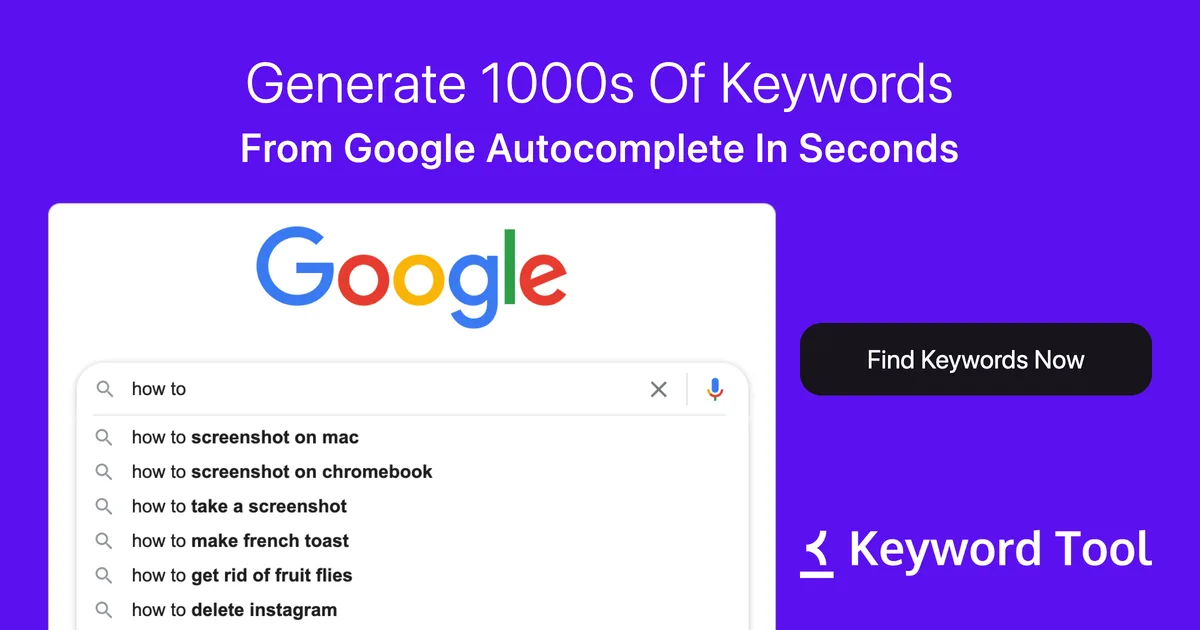
Keyword Tool mines YouTube autocomplete to build long-tail phrase lists. The public YouTube tool page (checked 27 November 2026) says it can return 750+ long-tail keywords from autocomplete, localized to countries and languages YouTube supports. The free tier gives the ideas without search volume; Keyword Tool Pro adds volume, CPC, and related metrics. Standard Pro dollar prices were not shown on the public pages we checked, so they are omitted.
Best for: Building a long list of questions and long-tail variants from YouTube’s own suggest data.
Where it stops: Autocomplete is not the same thing as demand. A suggestion can appear in the dropdown without being a strong topic for your channel. Cross-check the shortlist in Studio and, if you need a volume model, in a paid dataset.
6. Ahrefs YouTube Keyword Tool — clickstream volume (under maintenance on the check date)
Ahrefs’ YouTube Keyword Tool is built to show estimated YouTube search volume and clicks from clickstream data across many countries. That is a different data source from autocomplete lists or in-browser keyword scores. On 27 November 2026, the YouTube Keyword Tool page stated that the tool was under maintenance and asked visitors to use Ahrefs’ Keyword Generator instead. We are not treating the dedicated YouTube tool as available today, and we are not quoting a plan price we could not confirm on a working YouTube-tool checkout.
Best for: Teams that already use Ahrefs and want a clickstream volume model, once the YouTube tool is back.
Where it stops: It was not usable as a YouTube keyword tool on the day we checked. Even when it is available, clickstream volume is still an estimate, not an official YouTube figure.
7. Braiv YouTube Keyword Finder — free topic ideas, tags, and competitor videos
Braiv’s YouTube Keyword Finder is a free tool on braiv.co. You enter a topic and get three things in one search: video ideas and title angles drawn from phrases people type into YouTube, copy-ready tags harvested from videos already ranking for that topic, and a benchmark of the videos you are competing with (title pattern, thumbnail style, and channel size). It is not a monthly search-volume database.
That matches how YouTube itself talks about discovery. Tags are a supporting signal; the title, thumbnail, and description do more of the work (Add tags to your YouTube videos, checked 27 November 2026). YouTube Help also notes that 90% of the best-performing videos have custom thumbnails, so a keyword is only the start of the packaging job. Once you have a phrase, write the title and description around it — our guide to SEO-optimized YouTube titles and descriptions covers that step — and pair it with a custom thumbnail. For the wider idea of packaging, see What is YouTube packaging?.
Best for: Creators who want a free, no-subscription way to shortlist topics, copy tags, and study the current results before filming.
Where it stops: It will not give you an official or third-party monthly volume number. Use Studio’s Trends / Research report when you need YouTube’s own audience-search data, and a paid suite or dataset when you want scored volume estimates.
How should I use a YouTube keyword in a title and description?
Pick one clear phrase and use it naturally in the title and in the first lines of the description, which is what YouTube shows in search. Do not stuff the same term into a long tag list and expect that to carry discovery. YouTube’s tag policy also warns that adding excessive tags into the description is treated as spam (Add tags to your YouTube videos).
A practical sequence:
- Check the idea in YouTube Studio Trends / Research for your audience.
- Use a keyword tool to collect variants and see what is already ranking.
- Write a title and description that a person would click, then design a custom thumbnail. YouTube’s own packaging tips start there, not in the tag box.
Do YouTube tags still matter in 2026?
Very little for discovery. YouTube Help (checked 27 November 2026) says your title, thumbnail, and description are more important, and that tags mainly help when the topic is commonly misspelled. Keep a short, accurate tag list. Do not paste piles of tags into the description.
What is the best free YouTube keyword tool?
Start with YouTube Studio, which is free with your channel and shows official audience searches over the last 28 days, then use Google Trends (YouTube Search) for relative interest. Keyword Tool is a strong free autocomplete list, and Braiv’s YouTube Keyword Finder is a free way to get topic ideas, copy-ready tags, and competitor videos in one search.
Why do vidIQ and TubeBuddy show different numbers for the same keyword?
YouTube does not publish a public official search-volume figure for every query. Each vendor builds its own score or estimate, so the same phrase can look “excellent” in one tool and competitive in another. Use those scores to compare phrases inside one tool, then confirm the topic in Studio and with a title and thumbnail that can earn the click.
How do I find YouTube keywords without paying for a suite?
Use YouTube’s own search suggestions, Studio’s Trends / Research report, Google Trends set to YouTube Search, a free autocomplete tool such as Keyword Tool, or Braiv’s free YouTube Keyword Finder. Paid scores are optional once you have a shortlist.
Related reading:
AI Video Title Generator
Generate high-CTR video titles and descriptions in seconds.