Breakouts
Breakout video finder
Uploads that beat this channel's own median views, shown as a multiple of their usual views.


Paste a competitor's channel link. Braiv reads their recent public uploads (upload schedule, breakout videos, title patterns and thumbnail style) so you can package your next video with what works.

Generate SEO-ready titles, descriptions, tags, and chapters from your transcript — then auto-publish everything to every channel in one click.
Explore Braiv ConnectCapability 1 of 5
Recent public uploads only: schedule, breakout videos, title patterns and thumbnail style, then packaging for your own video.
Uploads that beat the channel's own median views, ranked by how far ahead they are.
Length, numbers, questions, brackets, CAPS and years, measured across their recent uploads.
An AI read of the recurring visual system on their channel.
Uploads per week, the typical gap between uploads, and the long-form vs Shorts split.
It lives in YouTube Tools → Competitors. You add a channel, Braiv reads recent public uploads, and you take the patterns into packaging.

Paste a channel URL, @handle or any video link. Braiv finds the channel.
Braiv analyzes their recent public uploads. The read usually takes under a minute and covers schedule, breakouts, title patterns, niche, audience and thumbnail style.
Copy title ideas from Ideas for you, and take the patterns into Braiv's title, thumbnail and Shorts tools.
Compare channels on the public signals that change your next upload. In a shared workspace, your team sees the same list.
Uploads that beat this channel's own median views, shown as a multiple of their usual views.

Median length, plus the share of titles using numbers, questions, a colon or pipe, brackets, CAPS or a year. An AI read covers how they write titles.
Title and description generatorFrom any competitor, Find similar surfaces related public channels you can add in one click.
One competitor detail page, from at a glance through the channel read.

Posting rhythm, uploads in the last 30 and 90 days, subscribers, lifetime views, breakout videos and the top performer multiple.
Uploads that beat the channel's own median views, each shown as a multiple of their usual views.
Measured title patterns, then an AI read of niche, audience, what they do well, how they write titles, how they design thumbnails, and ideas for you.
It starts in YouTube Tools → Competitors. Paste a channel URL, an @handle, or a link to any of their videos. Braiv reads their public uploads and reports how they title, package and schedule their videos.
The sample is recent uploads, and you can refresh the analysis. Refreshes have a cooldown. Nothing here uses the other channel’s private analytics.
This is a read of public uploads. You can compare posting rhythm, the long-form vs Shorts mix, breakout videos, title patterns and an AI read of thumbnail style. You cannot see a competitor’s click-through rate, retention or revenue. Those stay with the channel owner.
Breakout videos are uploads that beat that channel’s own median views. Each one is shown as a multiple of their usual views (for example 3×). Upload schedule shows how often they post, from several times a day to monthly, plus the typical gap between uploads.
Find similar is how you grow the set. Open a competitor and add related public channels in one click. In a shared workspace, your team sees the same list.
The point of the read is the next video you publish.
How many channels you can track depends on your plan. The limits are on pricing.
| Signal | Braiv | By hand |
|---|---|---|
| What you can see | Public uploads only: views, titles, thumbnails and timing. Not a competitor's CTR, retention or revenue. | The same public YouTube pages, counted by hand. |
| Breakout videos | Uploads that beat the channel's own median views, shown as a multiple of their usual views. | Copy the view counts and calculate the median yourself. |
| Title patterns | Median length, and the share of titles using numbers, questions, a colon or pipe, brackets, CAPS or a year, plus an AI read of how they write titles. | A spreadsheet. |
| Thumbnail style | An AI read of how they design thumbnails. | Notes from watching the channel. |
| Upload schedule | How often they post, from several times a day to monthly, the typical gap between uploads, and the long-form vs Shorts split. | A calendar. |
| Similar channels | Find similar, then add a channel in one click. | Suggested videos and search. |
| Team access | In a shared workspace, your team sees the same list. | A shared document. |
| What you do next | The patterns go into Braiv's title, thumbnail and Shorts tools in the same app. | Switch into a separate design tool. |
This is part of Braiv Connect, next to packaging your videos and optimizing videos that are already live. The research stays on public data. The packaging is the part Braiv makes.
Other attributes of the same product — useful if this page was not quite the one you meant.
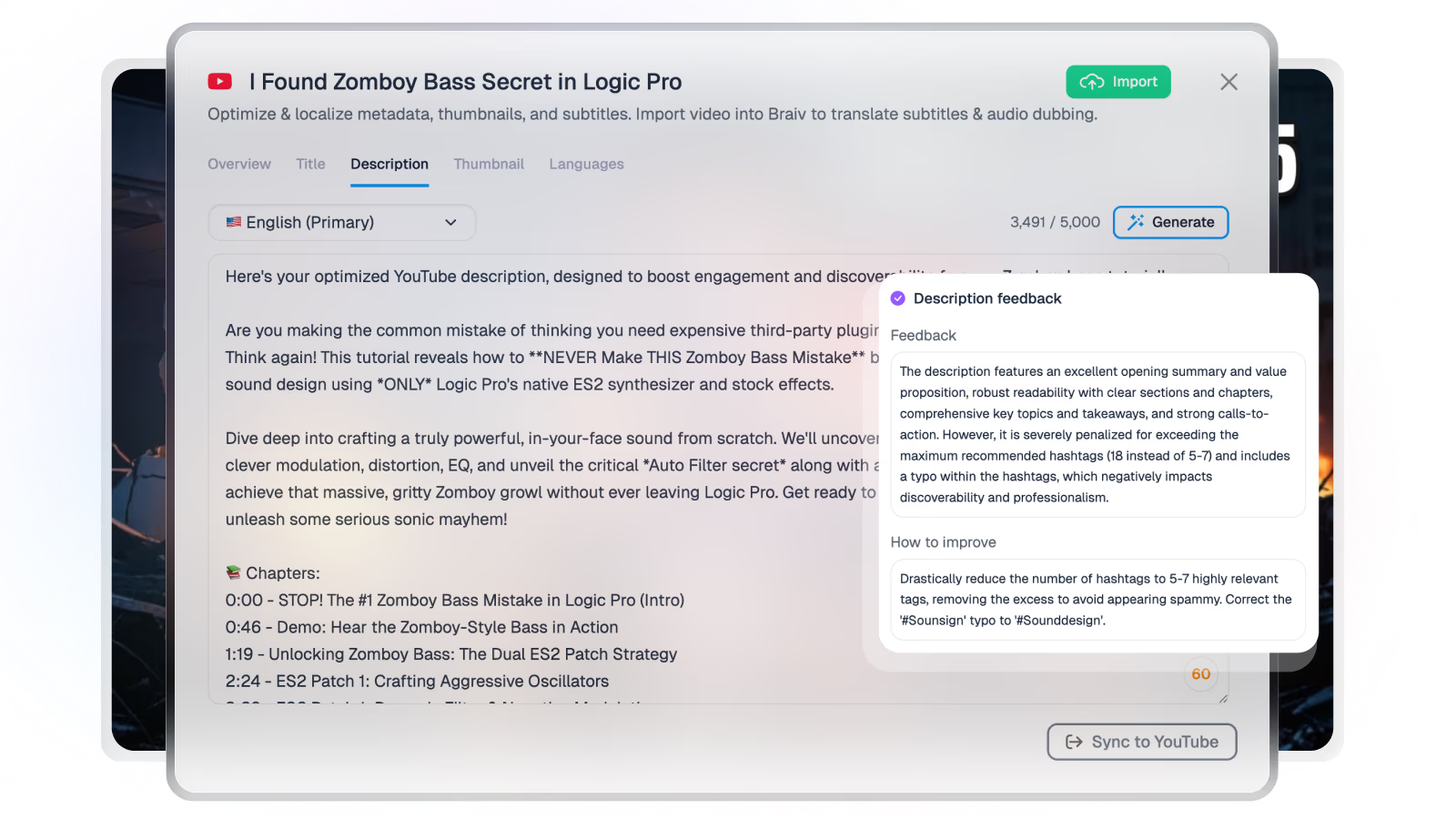
A YouTube SEO title and description generator reads your transcript and returns a searchable title plus a chaptered description — without a blank prompt.
Learn more
Instantly generate high-CTR, SEO-friendly video titles that get more clicks — from the transcript, not a blank prompt.
Learn more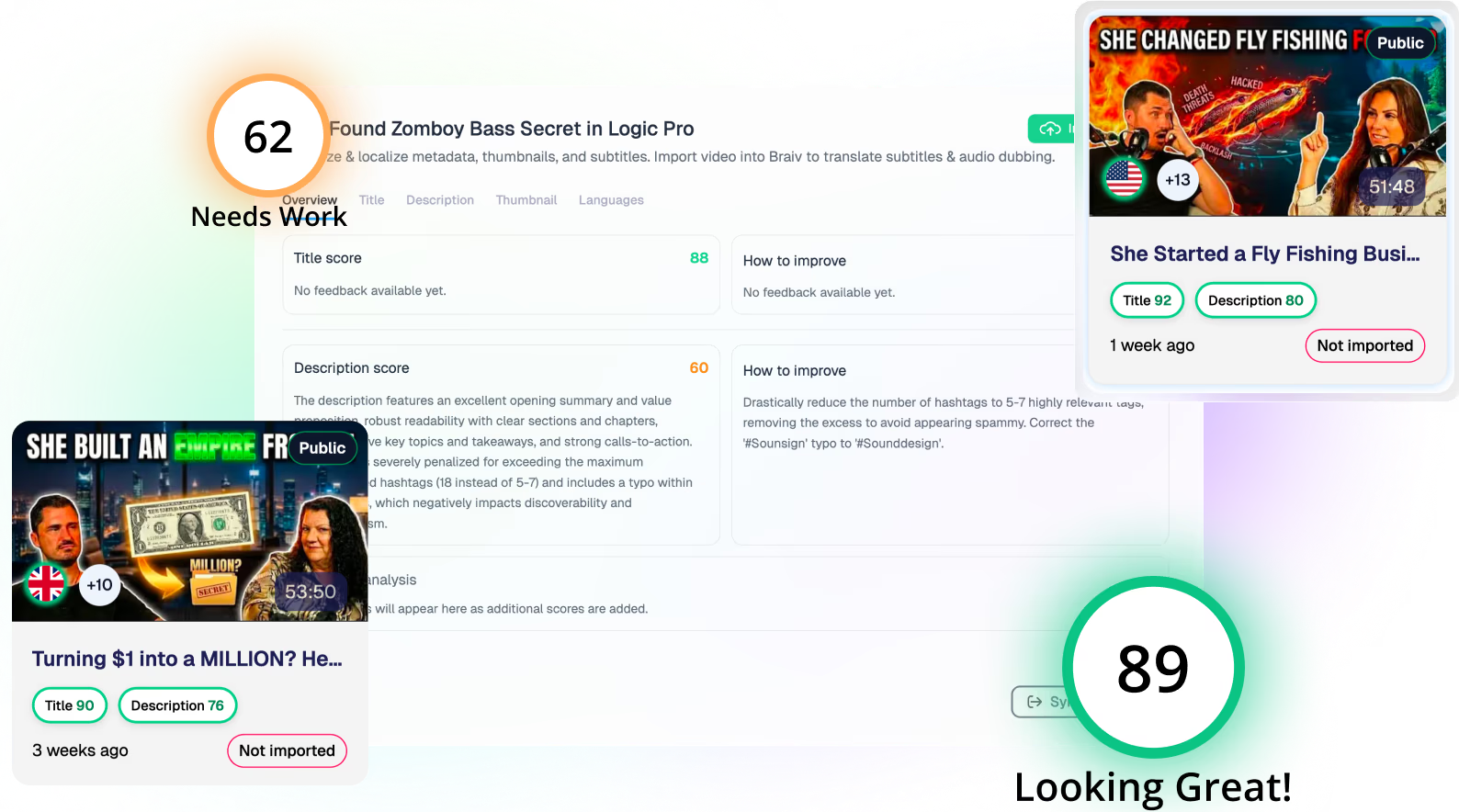
Improve existing YouTube videos with better titles, descriptions, thumbnails, and localization — without reuploading a single file.
Learn moreBraiv Connect covers the Package stage. Braiv runs the rest of the sequence on the same recording — so what you make here ends up packaged, localized and published without leaving the platform.
See the full workflowPaste a channel URL, @handle or any video link. Braiv reads their recent public uploads so you can package your next video from the patterns.
Braiv Capture is launching soon. Join the waitlist and we'll invite you as soon as your workspace can create localized support content.
You're on the list
We'll email you when early access opens. Reply to that email if you want to tell us more about your support library.